


docs/user/services/services.md
title: Services description: Add a service from a repository, an image or a database, find your way around it, and rename or delete it.
A service is one part of your app, like a web server, a worker or a database. Each card on your environment's canvas is a service, and Ployz runs it as one or more replicas on your servers.
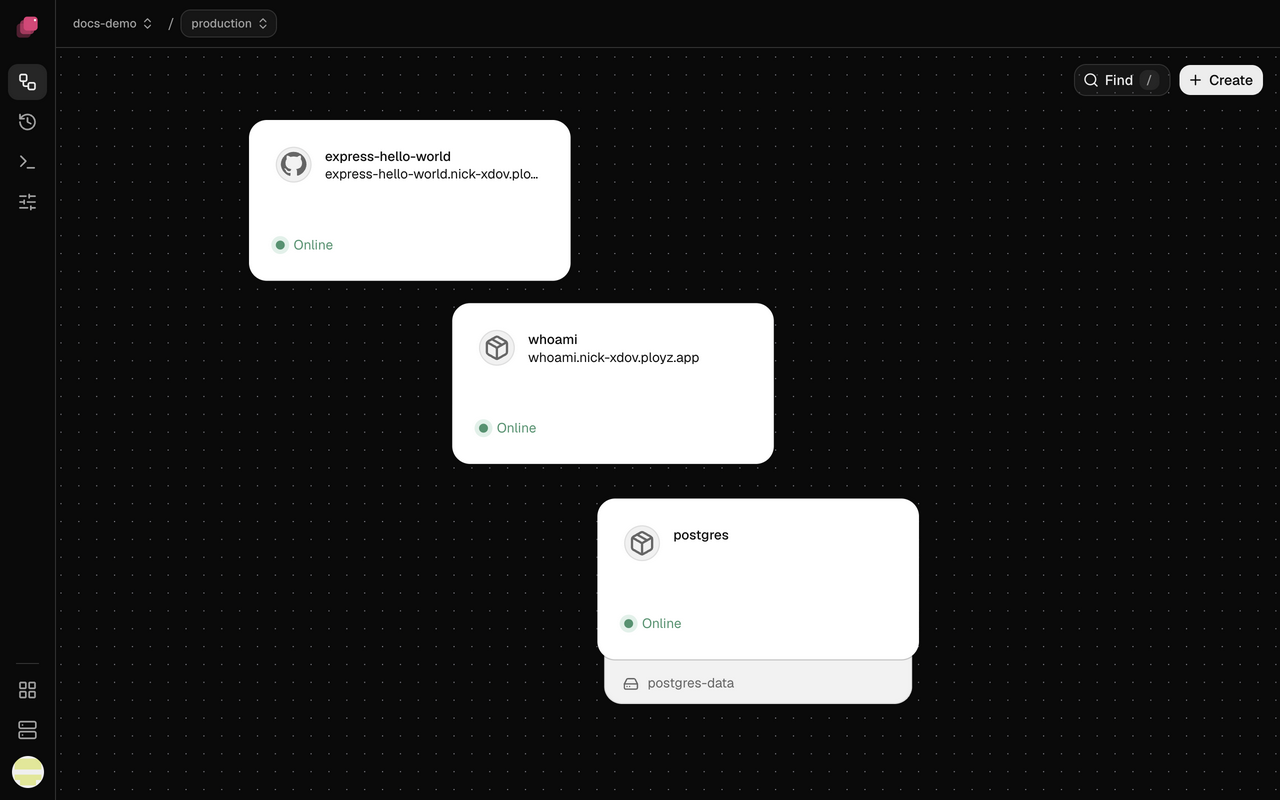
Add a service
- Open your environment and click Create at the top right of the canvas.
- Choose what the service runs, then pick the repository, image or database.
- Click Deploy in the bottom bar.
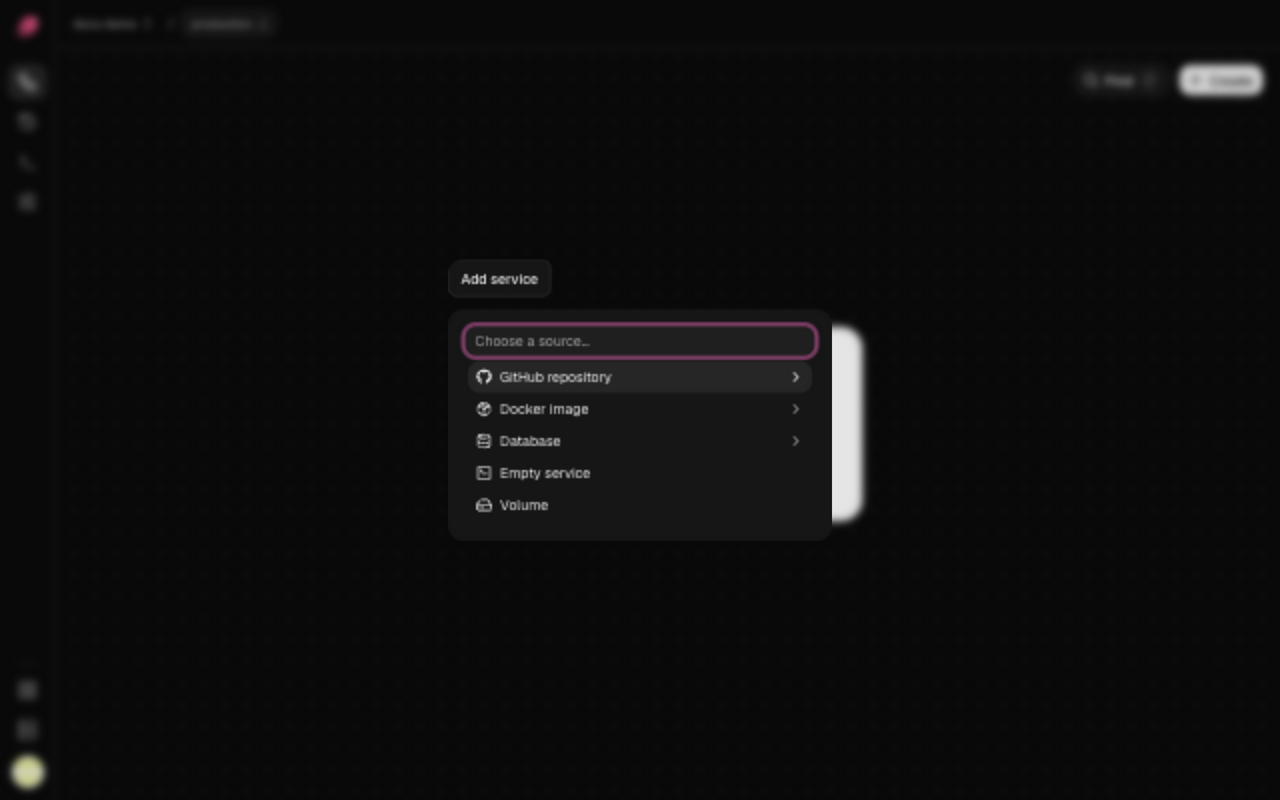
| Choose | For | More |
|---|---|---|
| GitHub repository | Your code, which Ployz builds and deploys on each push | Deploy from GitHub |
| Docker image | An image your CI builds, or off-the-shelf software | Deploy a Docker image |
| Database | PostgreSQL, MySQL, Redis or MongoDB, with a volume for its data | Databases |
| Empty service | A service you give a source later | Add a source |
The new service shows New on the canvas until you deploy. It has no public address until you generate a domain.
For shared settings files or startup scripts, create a config and mount it into the services that need it.
Find your way around a service
Click a service on the canvas to open its panel. Deployments lists its deployments, Variables holds its variables, Logs shows what it prints, and Settings holds the rest, from its source to its restart policy: Service settings explains each field.
Rename a service
- Click the pencil next to the service's name at the top of its panel.
- Type the new name and click Save.
The rename is staged. Other services keep reaching it at its private name, which stays the same,
and references to it keep working. To change
the private name, see Private Networking. Once you deploy, deploy
progress, failure output and ployz ps show the new name.
If an older environment has a service named configs, rename it before editing its settings:
| 1 | ployz service rename configs settings-service |
configs is now reserved for shared config paths. Renaming preserves the service’s private name,
data, and references.
Delete a service
Right-click the service on the canvas, or open its Settings, and click Delete service. Then deploy. Until you do, it keeps running, and discarding the change brings it back.
Variables and config files that reference a deleted service don't stop you. Each shows
Broken reference in red, like redis was removed, and so do Details, ployz diff and
ployz status. ployz service rm prints each one with the command that changes it. Deploys leave
a broken variable out, and any variable that references it, and warn, as for a
Not set secret.
Deleting a database's service also deletes its volume and data, unless another service mounts it. The deploy asks you to confirm first: see Confirm a deploy that deletes data. Anonymous volumes the service's image created, which no volume in Ployz names, stay on the server after the service is deleted.
Restart, stop or open a shell
Open the service and click ⋮ next to its name. A running service offers Restart and Stop. A stopped one offers Start, and shows a Start button in its header too.
- Restart goes one container at a time, across every server, so the others keep serving. The header counts them, like Restarting 4/12. If a container doesn't come back, the restart stops there and leaves the rest untouched. The service shows why, like Container 4 on web-2 didn't come back, with Retry.
- Stop asks first: every container stops on every server until you start the service or deploy.
- Start starts every stopped container.
The dashboard can't run a command in a service yet. The CLI does all four:
| 1 | ployz service restart web # stop, then start, with the same settings |
| 2 | ployz service stop web # stays stopped until you start or deploy it |
| 3 | ployz service start web |
| 4 | ployz exec web # a shell in one of its containers |
| 5 | ployz exec web npm run migrate # or one command |
A restart doesn't pick up staged changes. Deploy for that. Restarting or stopping the same service from the CLI and from the Ployz agent at once can leave it either running or stopped.
Restart and start wait for each container's healthcheck to pass, the same way a deploy does, before they return. A container that fails its healthcheck, or doesn't pass it before its deadline, is reported, and the command exits 3. So is a container a failed deploy left behind: restart and start run it, but never route it, because no deploy finished bringing it in. Deploy again to replace it.