


docs/user/observe/logs.md
title: Logs description: Read what your services print, live, and the build and deploy logs of each deployment.
Ployz shows what your services print, live from your servers. Each deployment also keeps its build output, so you can see why a build failed.
See your logs
- Open your environment.
- Click Logs in the sidebar.
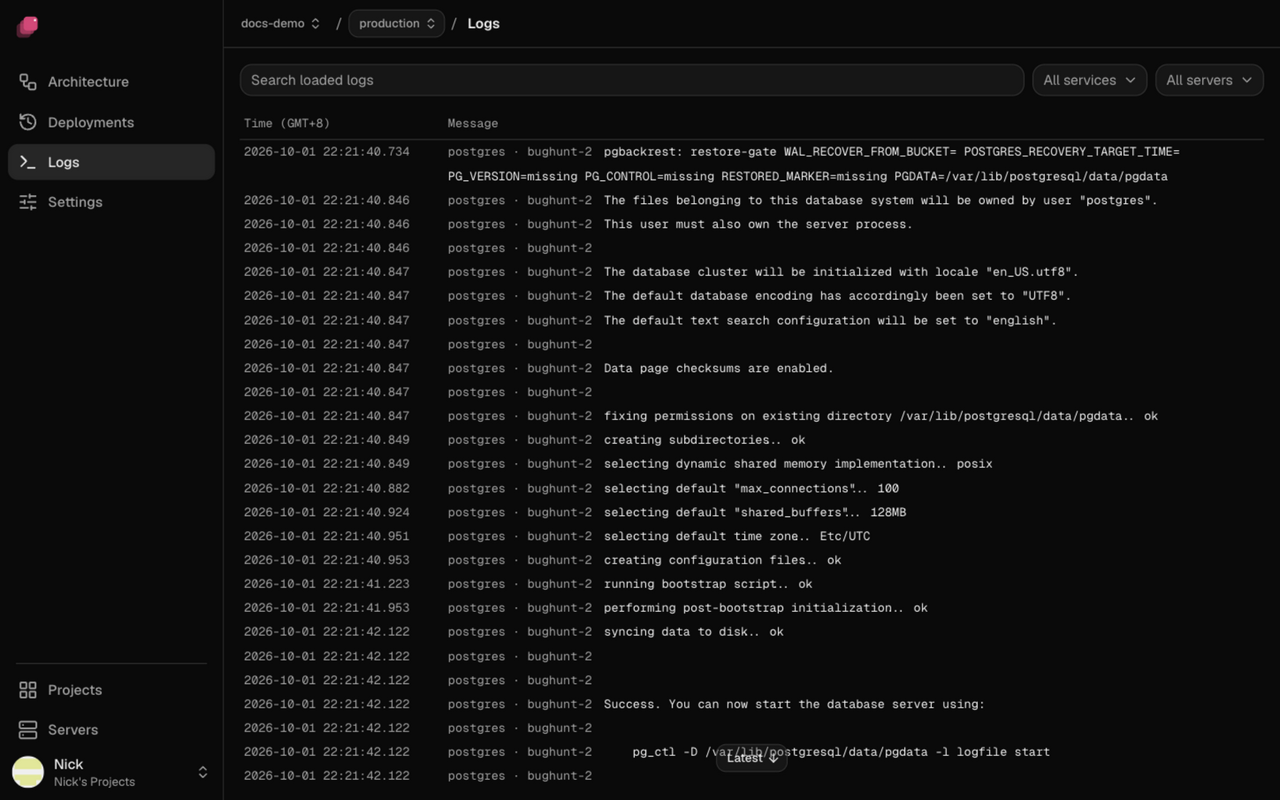
Lines from every service arrive as they're written. All services and All servers narrow the list, Search loaded logs filters it, and Error, Warn, Info and Debug show only lines at the levels you pick. Scroll up for older lines, back to the oldest your servers kept; the page holds up to 30,000 lines at once. New lines wait while you're scrolled up; Latest brings you back to the end and shows them.
For one service, click it on the canvas and open its Logs tab.
See a deployment's logs
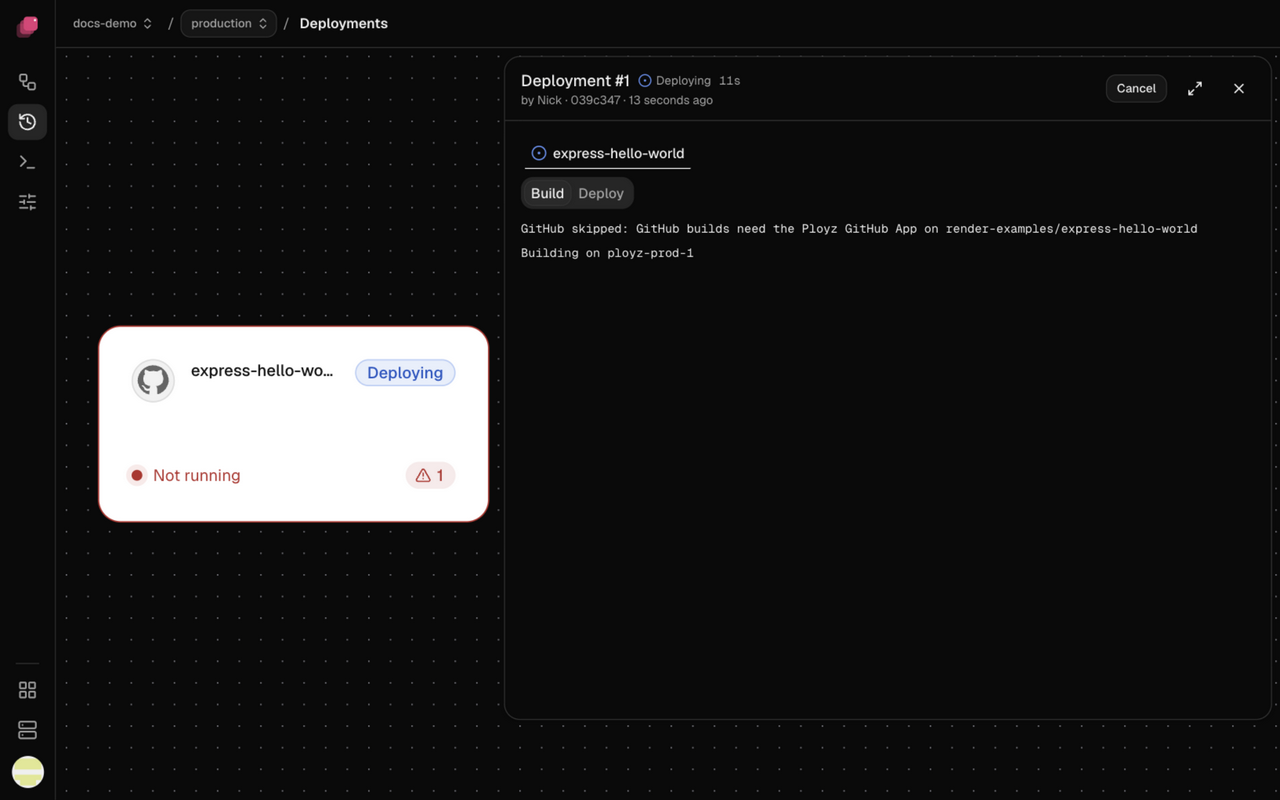
- Open the deployment from Deployments in the sidebar, or from Logs in the bottom bar while it runs.
- Click the service's build card for its build output. A Docker image service has no build.
- Click the service's card for what its new containers printed, including the pre-deploy command, even after a later deploy replaced them.
See Deployments.
Read retained logs from the CLI
ployz logs app/api reads retained logs without asking Docker to list containers.
This also works for a removed service. Every service argument must be qualified
as namespace/name, either explicitly or through project or deployment scope.
The command still needs a server observation and access to each selected server's
log store. Servers that do not answer are named, and partial results exit with code 3.
A name the environment doesn't have now, and that no retained line matches, fails with
No Service named nosvc in Environment production and lists the services you can name. This holds
whether Ployz reads your servers or Ployz Cloud reads them for a token without server access. It
exits with code 1, or with code 3 when lines for another name you gave already printed. When a
server doesn't answer, Ployz says so instead, since the missing lines may be on that server.
--follow needs a service the environment has now, deployed or not yet deployed, so it refuses any
other name before reading.
ployz logs --follow --machine X with no service named follows every service that runs on X and
skips the rest.
When a followed server stops answering, --follow names it within about 20 seconds and keeps following the
others. It ends once none still answers, and exits with code 3. It doesn't pick the server up again
when it comes back; run the command again.
Unqualified names without scope, service IDs, container selectors, commands with
no service arguments, and --follow still use live container discovery.
Good to know
- Log collection shares a CPU budget with retained-log reads. By default, Ployz caps its log helper at 10% of one CPU core. Some historical reads can take several seconds. The main daemon's work serving those reads has a separate CPU cost.
- Logs stay on your servers after a deploy. Each server keeps what its containers printed, so a service's card on an older deployment still shows its output. Ployz keeps up to 5% of the disk for them and for metrics, between 512 MB and 5 GB. Logs stay 30 days, and the oldest go first. It doesn't copy them anywhere else. To search or keep logs for longer, send them from your app to a log service.
- A replica that failed keeps its output. Its exit code appears when the server observed it, so you can see why it stopped. A replica that keeps restarting shows each exit, and an OOM kill reads killed out of memory.
- Deleted environments and removed services keep their logs until retention removes them. Recreating an environment with the same name can show its earlier logs. A service's card on a deployment shows only that deployment's output.
- Containers started before your servers ran this release keep Docker's old log settings, and their logs aren't kept, until their next deploy.
- Levels come from the line. A JSON
level,lvlorseverityfield, a logfmtlevel=, or a leadingERROR,WARN,INFOorDEBUG(or a tag such as[error]), after any timestamp, sets it. A line without one counts as Info, stderr included. - The dashboard never shows a Sealed value. It replaces each one with
[secret NAME], and a variable you seal while you watch is scrubbed from the next lines on. Lines it couldn't check, say because your servers couldn't read the service's variables, show as Hidden: couldn’t check these lines for Sealed values. When a server fails, the banner says Container logs are unavailable. instead of quoting the server's error. - Detected gaps appear in the log, saying the lines weren't captured or couldn't be read. Missing output can have no gap record, such as when a container ran entirely while log collection was down.
- A server that doesn't answer is named in a banner above the log, and the other servers' lines still show.
- A server on an older Ployz shows no logs. The page says Upgrade web-1 to see its logs and links to that server's page. Several such servers link to Servers instead. If other servers have lines, they still show, with a note naming the server to upgrade. Upgrade it from its page, then refresh the logs page.
- When your servers are offline, the page says Your servers are offline and keeps the last lines they sent. If the servers still answer but the log stream drops, it says Couldn’t load logs and retries.
- Lines name where they came from when that varies in view: the service, the server, and the container's short id when a deploy replaced a container on the same server, so the old copy's shutdown reads apart from the new one's start.
- Leaving a log closes its stream. Coming back reopens it and shows the latest lines.