


docs/user/services/settings.md
title: Service settings description: "Every field in a service's Settings: what it does, its default, and when to change it."
Open a service on the canvas, then click Settings. Your changes are staged until you deploy, except the few marked Takes effect at once.
From the CLI, ployz get web prints each setting with its value and default, then the
service's domains. Text prints in quotes, like "nginx:1", and - means unset. ployz get web.domains prints only the domains; change them with the ployz domain commands, not
ployz set. ployz explain web lists every setting a service takes, with its default.
ployz diff shows what you staged, and ployz discard undoes it.
Source
A repository service shows Repository through Watch paths, an image service shows
Container image and Registry credentials, and an empty service shows Add a source.
A service from ployz up shows only a note to run it again.
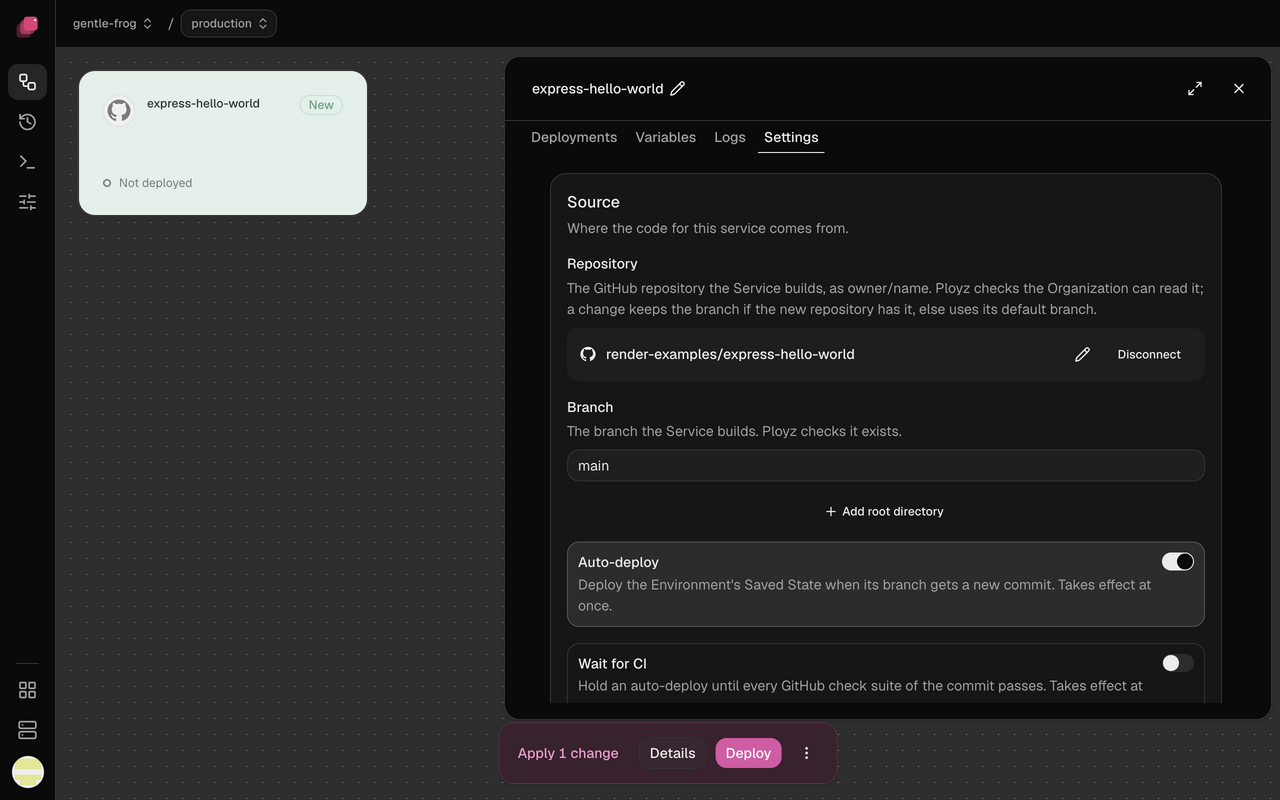
Repository
Click the pencil to build another repository instead. The service keeps its Git branch if the new repository has one by that name, and otherwise takes that repository's default branch. Disconnect leaves the service with no source after your next deploy. See Deploy from GitHub.
Branch
Starts as the repository's default Git branch. Each environment has its own, so production can
follow main while staging follows develop. See
Choose the Git branch.
Root directory
The repository root (/) until you click Add root directory and enter a folder, like
/apps/web. Set it to deploy one app from a monorepo: the build sees nothing outside that
folder. See Deploy a monorepo.
Auto-deploy
On by default, though pushes deploy only once the Ployz GitHub App is on the repository. Turn it off to deploy only when you click Deploy. Takes effect at once, and Discard doesn't undo it. See Deploy on push.
Wait for CI
Off by default. Turn it on so a failing check stops a commit from deploying; if no checks run for a commit, it waits until your next push. Takes effect at once. See Wait for CI.
Watch paths
Empty by default, so any push deploys. Add a pattern like apps/web/** to deploy only when a
push changes those files; patterns start at the repository root, whatever the root directory.
Takes effect at once. See
Deploy only when certain files change.
Container image
Click the pencil to run another image or tag. Deploying the same tag again doesn't fetch a newer
copy, so give each release its own tag, like 1.5.0. See
Ship a new version of your image.
Registry credentials
Needed only for a private image: click Add credentials and fill in what your registry asks for. Adding or disconnecting credentials waits for your next deploy, but a new secret for credentials you already have takes effect at once, and Discard can't bring the old one back. See Use a private image.
Add a source
An Empty service has nothing to run, and deploying it fails until you choose Git repository or Container image here. See Add a service.
Switch between an image and a repository
Setting the other kind of source replaces the current one, with no need to disconnect it first. Switching is CLI-only for now:
| 1 | ployz set web.repository=acme/web # an image service builds acme/web's default branch |
| 2 | ployz set web.image=nginx:1.27 # a repository service runs nginx:1.27 |
A service that switches to a repository builds from the repository root. A service that switches to an image loses its root directory and build settings, so they are back at their defaults if it later builds a repository again. Like every change, the switch waits for your next deploy, and Discard undoes it.
Each setting belongs to one kind of source. An image service refuses the repository settings:
branch, rootDir, the build settings and the deploy-on-push settings. A repository service
refuses the registry credential. Ployz checks every setting you set against the source the
whole edit leaves, so the order of its settings never matters. To use repository settings on an
image service, switch to a repository in the same set or before it:
| 1 | ployz set web.branch=dev web.repository=acme/web # works on an image service |
| 2 | ployz set web.image=nginx:1.27 web.buildMethod=dockerfile # refused: an image is not built |
| 3 | ployz set web.image=nginx:1.27 web.repository=acme/web # refused: one source at a time |
The source never blocks an unset. A setting the service's source does not have is already
at its default, so unsetting it changes nothing. A repository service still refuses an unset
branch, because it always builds a branch: set another one instead. An empty service takes
the build settings, because it builds the code you upload.
Networking
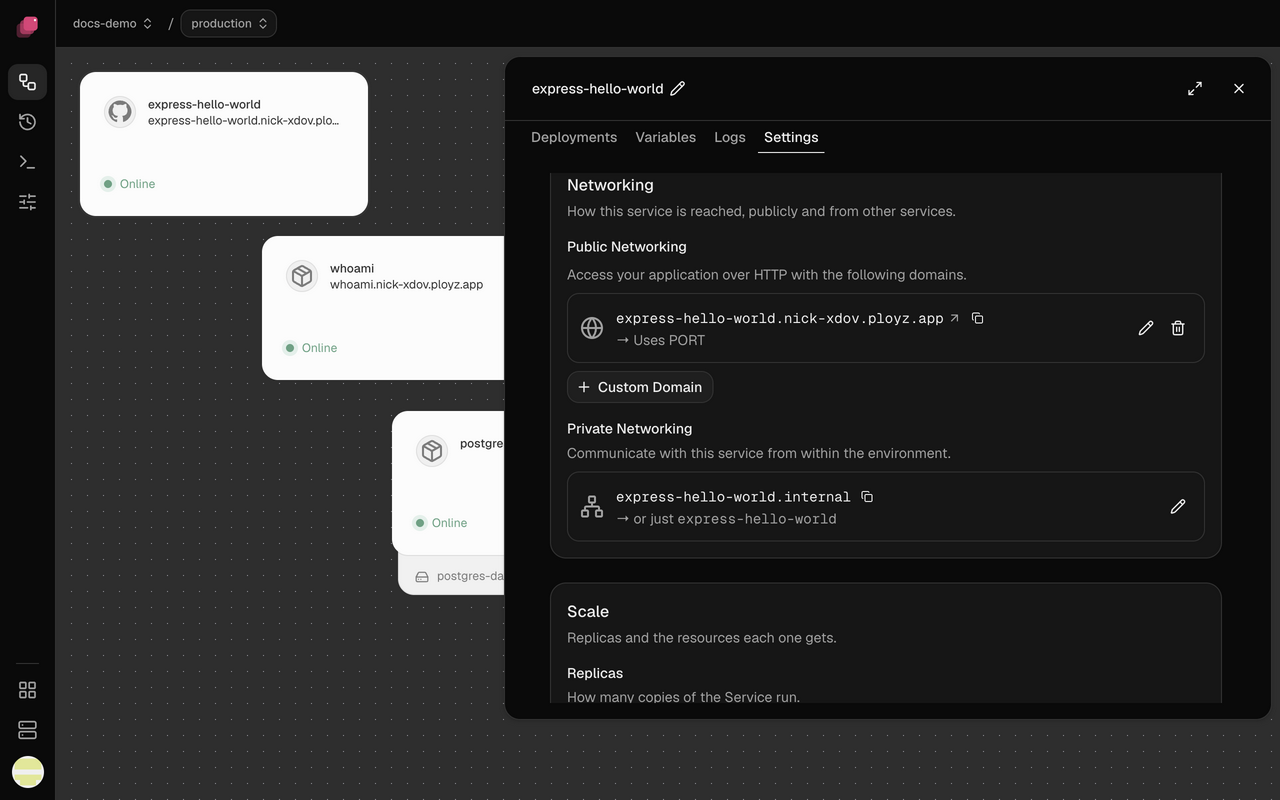
Public Networking
A service you add in the dashboard has none until you click Generate Domain, which gives it
a free https address like web.acme-x7q2.ployz.app. Leave Port blank to send traffic to
PORT, 8080 unless you set it, or enter the port your app listens on. See
Generate a domain.
Custom Domain
Adds a domain you own, like app.example.com, next to the generated one, and a service can have
as many as you need. It needs a DNS record at your DNS provider. See
Add a custom domain.
Private Networking
Other services reach this one at NAME.internal, or just NAME, on any port. The name starts as
the service's name and stays when you rename the service; change it with the pencil, and update
services that typed the old name in the same deploy. See
Change a service's private name.
Scale
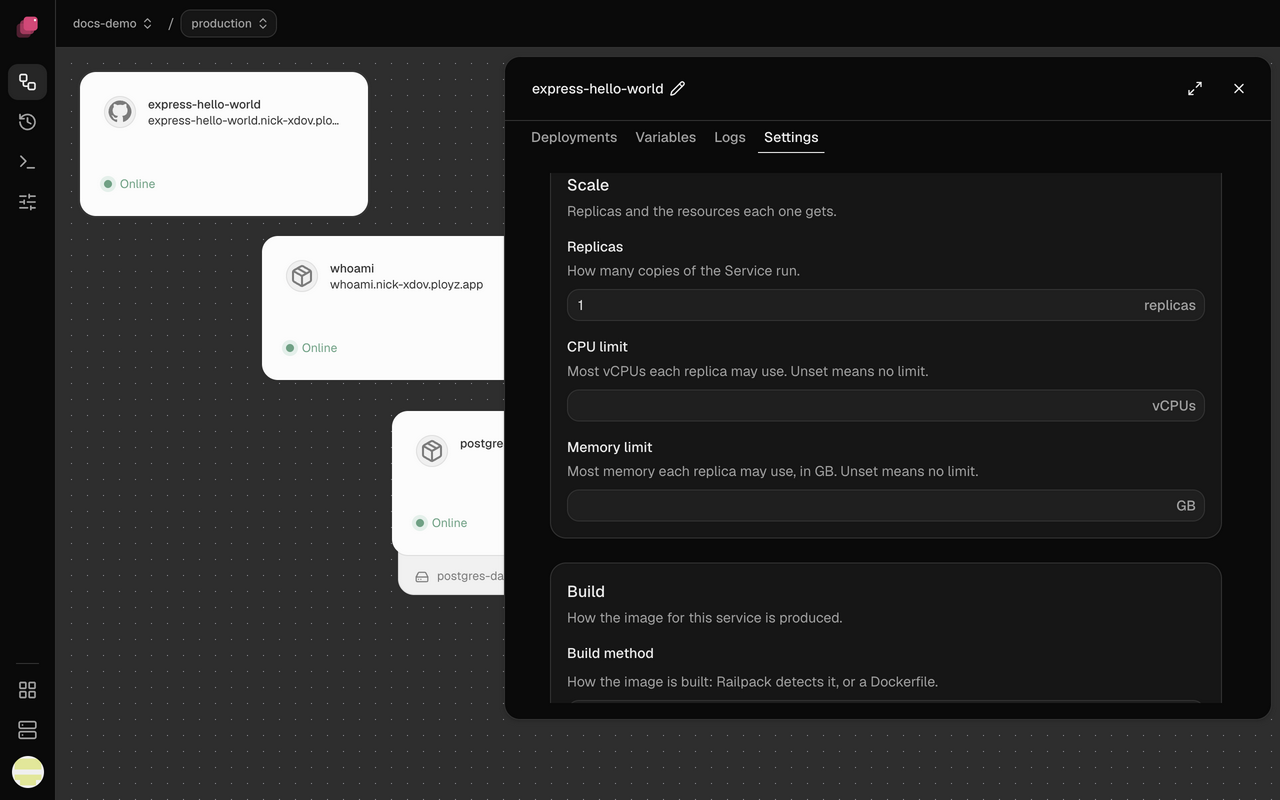
Replicas
1 by default, up to 50. Ployz gives each server one replica before any server gets a second. A service with a volume runs one replica, and preview environments run one of each service. See Run more replicas.
CPU limit
Empty by default, which means no limit. Set it in vCPUs, up to 64, to keep a busy service from slowing the others on its server. Ployz doesn't check that a server has room for it, so leave headroom. See Scaling and multiple servers.
Memory limit
Empty by default, which means no limit. Set it in GB, up to 1024. From the CLI you can also give
a unit: ployz set web.memLimit=512MiB or ployz set web.memLimit=1GiB (MB, GB, TB, MiB, GiB
and TiB). A plain number is always GB, so 1073741824 is refused rather than read as bytes;
write 1GiB. A replica that goes over it is
killed, and its Restart policy decides whether it comes back. See
Scaling and multiple servers.
Build
Only services built from a GitHub repository have this section.
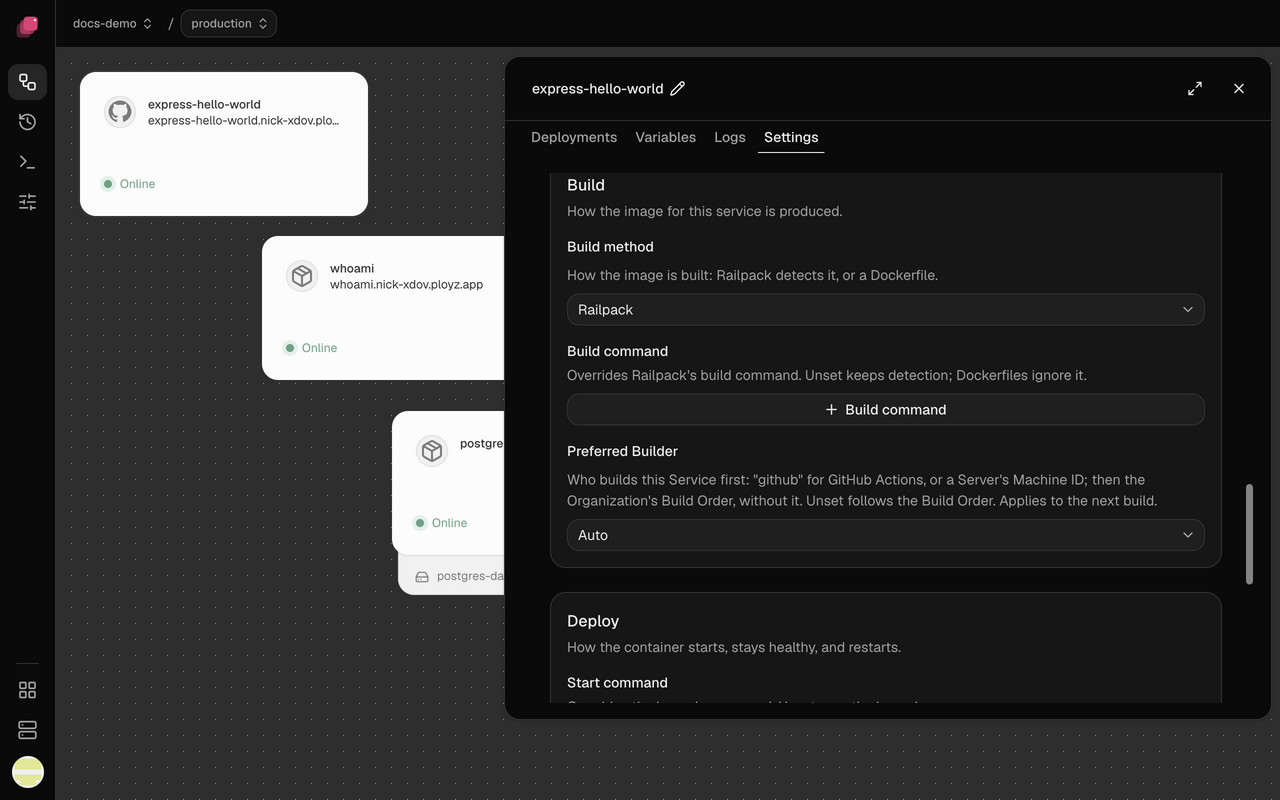
Build method
Railpack by default, even when the repository has a Dockerfile. Choose Dockerfile when you already have one that works, or your app needs more than Railpack can work out. See Railpack and Dockerfiles.
Build command
Shown with Railpack. Empty by default, so Railpack works out the build step; click Build
command and enter one, like pnpm run build, when it picks the wrong one. See
Change the build and start commands.
Dockerfile path
Shown with Dockerfile. Empty means Dockerfile in the root directory. The
field suggests paths from the top of the repository, so with a root directory set, shorten them to
start from it. See
Build with a Dockerfile.
Preferred Builder
Auto by default, which follows the build order under Organization → Builds. Pick GitHub Actions to keep a busy service's builds off your servers (its repository needs the Ployz build workflow, and GitHub receives the service's variables), or one of your servers to keep its builds on a server whose build cache is warm. The service tries that builder first. Takes effect at once, from the next build. See Prefer a builder for one service.
Deploy
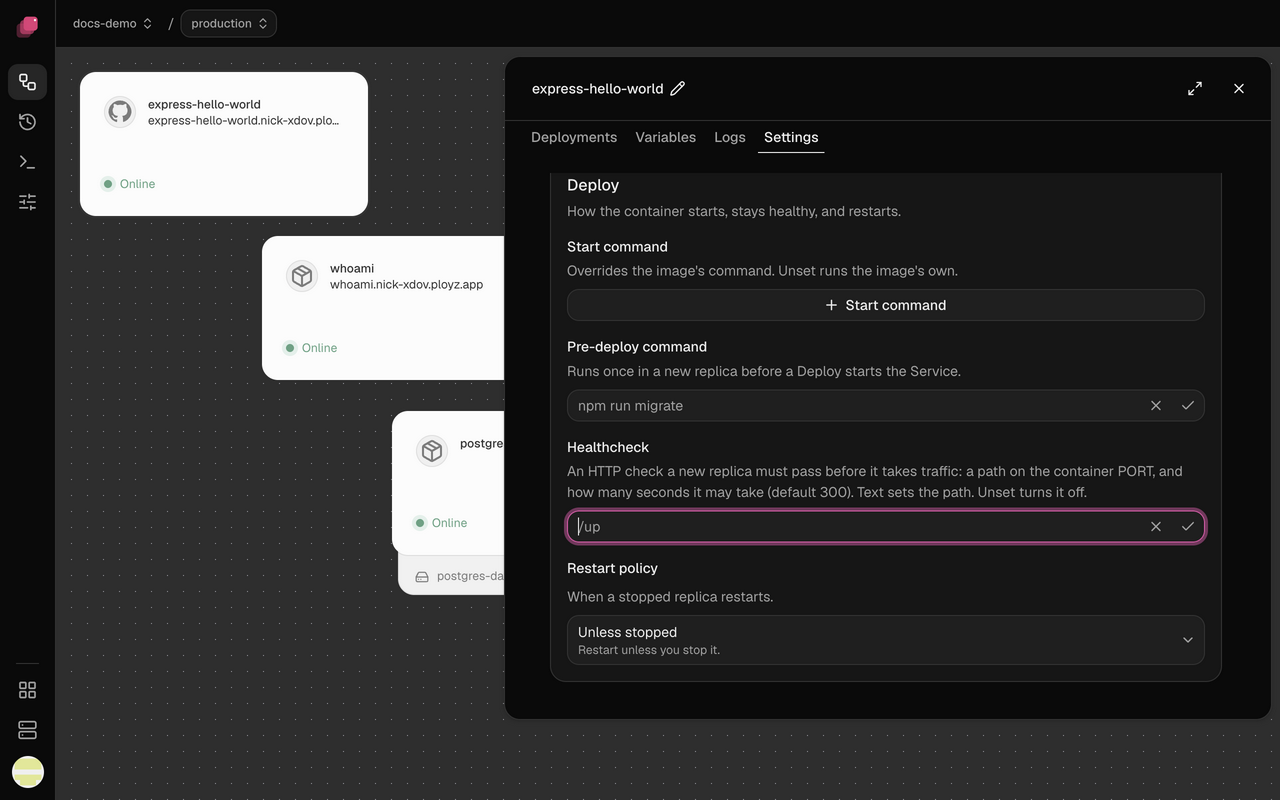
Start command
Empty by default, so the service runs what the image or the build sets. Set one, like
npm run worker, to run something else from the same code. On a Railpack build it runs in a
shell, so $PORT and && work. On an image or a Dockerfile build it replaces the ENTRYPOINT
and runs without a shell; wrap it in sh -c '…' to get one. See
Override the start command.
Pre-deploy command
Off until you click Pre-deploy command. Use it for migrations, like npm run migrate: if it
fails or runs past 5 minutes, the deploy fails and the old version keeps running, but Ployz
doesn't undo what it changed. See
Deploy without downtime.
Healthcheck
A new replica must pass it before it takes traffic. Off by default, so an old replica stops a few
seconds after the new one starts, ready or not. Off also ignores a HEALTHCHECK in the image.
- HTTP path. Enter a path like
/up. It passes when that path answers with a 2xx status on the port your domains send traffic to; a redirect fails it. With no domain, or domains on different ports, it checksPORT. - Command. Enter a command like
pg_isready -h 127.0.0.1. It runs in a shell inside the container and passes when it exits 0. The databases Ployz creates come with one.
Services whose variables reference this one wait until it passes. Click × to turn it off. See Deploy without downtime.
Healthcheck timeout
Shown once a healthcheck is on. 300 seconds by default, which is also the most. A replica that doesn't pass in time is stopped, and the old version keeps serving. See My new version never becomes healthy.
A replica that passed keeps getting traffic if its check fails later, and its service card shows an amber ⚠. See My running service fails its healthcheck.
Restart policy
Unless stopped by default, which brings a stopped replica back unless you stopped it. Choose On failure to restart only after an error, so a task that finishes stays stopped, or Never to leave it down. Always restarts it whenever it stops. See My service shows Crashed or Stopped.
Max retries
Shown with On failure. 10 by default, from 0 to 100; after that many restarts, the replica stays stopped.
Storage
Shown for a database without a volume. No volume warns that data is lost on redeploy. Manage mounts from the config or volume panel.
Danger
Delete service
The service keeps running until your next deploy, and discarding the change brings it back. A database's service takes its volume and data with it, unless another service mounts the volume, and the deploy asks you to confirm. See Confirm a deploy that deletes data.