


docs/user/troubleshooting/app-not-reachable.md
title: My app isn't reachable description: Fix "This app didn't respond", "Nothing is deployed here", wrong ports, custom domains, certificates and services that can't reach each other.
A visit to your app is a short trip: the browser looks up your domain, reaches one of your servers over https, and that server hands the request to your app on its port. When a page won't load, one leg of the trip is broken.
| 1 | flowchart LR |
| 2 | browser(["Browser"]) -- "DNS" --> server["One of your servers"] |
| 3 | server -- "PORT" --> app["Your app"] |
Start with your domain's status in the service's Settings → Networking: it names most of the problems below. Your app's own errors are in the service's Logs. To see which server answered and what it knows about your service, trace a request.
When Ployz can't hand a request to your app, your server answers with its own page. Its title is
a heading below, and its code (like 502 · NO_RESPONSE) is on the page and in the ployz-error
response header.
My service has no address
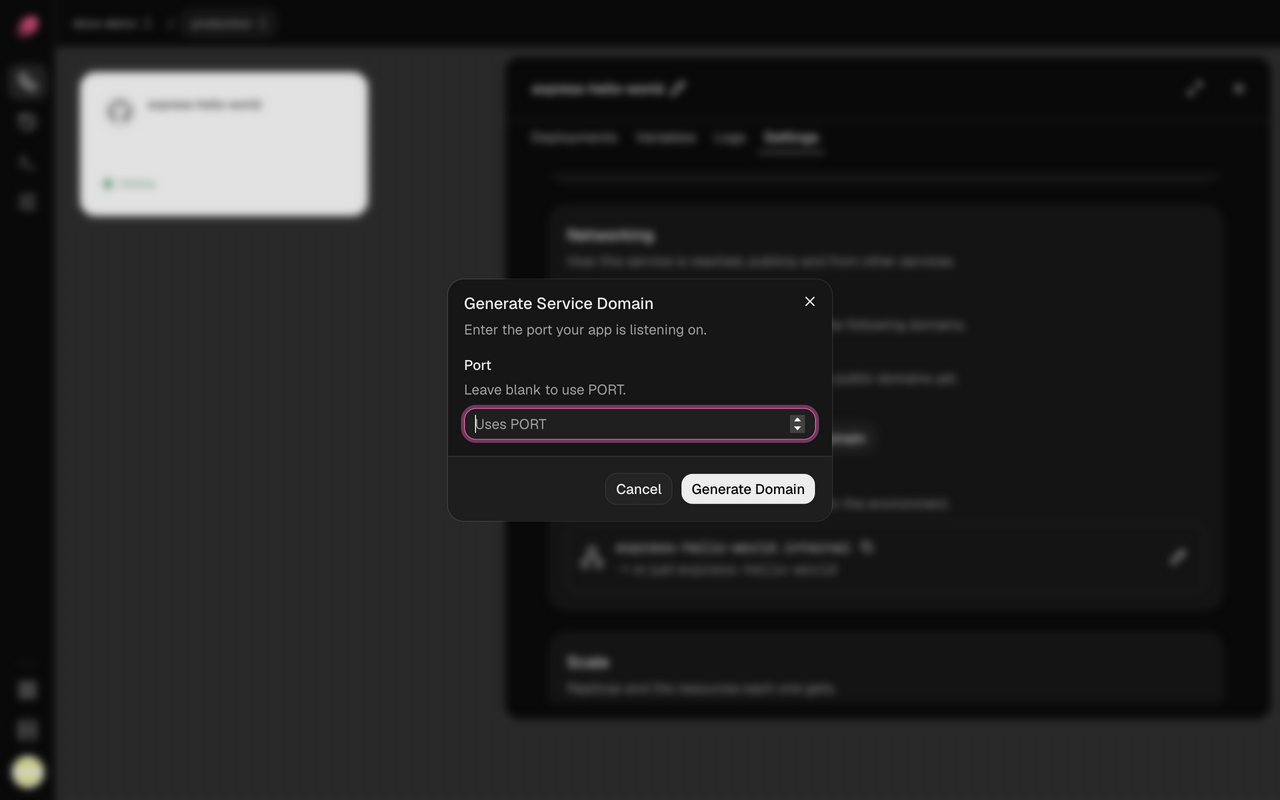
Services you add in the dashboard don't get a public address until you ask for one. In
Settings → Networking, click Generate Domain, leave Port blank to use PORT, then
deploy.
This app didn't respond
You'll see 502 · NO_RESPONSE, then 503 · NO_RESPONSE for the next 30 seconds while your
server stops sending requests to a replica that didn't answer. Your server got the request, but
your app didn't answer.
Listen on
0.0.0.0andPORT. An app listening onlocalhostor127.0.0.1turns away requests from outside its container:App Listen on all addresses and PORTNode.js, Express app.listen(process.env.PORT, "0.0.0.0")Next.js next startalready does. Withoutput: "standalone", add the variableHOSTNAME=0.0.0.0.Vite preview vite preview --host 0.0.0.0 --port $PORTgunicorn gunicorn --bind 0.0.0.0:$PORT app:appuvicorn uvicorn main:app --host 0.0.0.0 --port $PORTRails, Puma bundle exec puma -b tcp://0.0.0.0:$PORTLaravel php artisan serve --host=0.0.0.0 --port=$PORTChange it in your code or in Settings → Deploy → Start command. If Vite preview says "Blocked request. This host is not allowed.", add your domain to
preview.allowedHostsinvite.config.Check the port matches. See the next section.
Check your app is running in its Logs. A replica that crashes or fails its health check gets no traffic; see Troubleshooting deployments.
Check the server running it is up. A replica on a server that's down or out of reach doesn't answer either. See Troubleshooting servers.
When a server running one of your replicas powers off, a new connection to it gives up after half a
second and the request goes to another replica. A request that had already reached it, or that
went out on a connection the web server keeps open to it, waits about 14 seconds. Then a GET,
like a page load, goes to another replica, and anything else, like a form post, gets
504 · NO_RESPONSE. Your app may have handled it before the connection broke, so check whether
it went through, like whether the order exists, before you send it again.
The same 14-second limit applies to visitors. When a visitor's connection stops acknowledging data for about 13 seconds, say a phone on a bad network in the middle of a download, the web server drops it, and the visitor's browser or app has to retry.
On a server upgraded from an earlier release, the web server Ployz already ran there keeps the old behavior: a request that had reached the powered-off server can hang for about 15 minutes. That lasts until the web server is created again. To do that now, open the server's page, turn Takes web traffic off, then on again. While it's off, that server doesn't answer on ports 80 and 443, so do one server at a time.
This app isn't running
You'll see 503 · NOT_RUNNING. The service has no healthy replica, so there's nothing to send
the request to. The page reloads itself every 10 seconds.
- A deploy is in progress. The page goes away once the first replica passes its health check.
- The service is stopped. Run
ployz service start <name>, or deploy it. See Restart, stop or open a shell. - Every replica fails its health check. See Troubleshooting deployments.
My app listens on a different port
The domain's row says where traffic goes. → Uses PORT means the PORT variable, which is
8080 unless you set it. Either:
- add a
PORTvariable set to your app's port, then deploy, or - click the pencil on the domain and set Target port to the port your app listens on.
The health check follows whichever you pick.
Nothing is deployed here
You'll see 404 · NOT_DEPLOYED. The domain leads to one of your servers, but no service
answers for it there.
- Check the exact name.
www.example.comandexample.comare different domains. Add each one you use to the service. - On
http://? Ployz redirects http to https only once the domain has its certificate. Until then, wait for it to be issued. Behind Cloudflare, see below. - On
https://? The domain isn't live yet. If its row says Live after your next deploy, click Deploy.
My custom domain is waiting for DNS
You'll see Waiting for DNS, DNS doesn't point here yet or DNS points to another server. Your servers can't get a certificate until your domain leads to them.
- Click Show DNS records on the domain's row and create exactly those records at your DNS provider.
- Delete any other A and AAAA records for the same name, like your old host's. A leftover AAAA record alone can block the certificate.
- Give DNS time to spread. Your servers keep checking on their own.
The browser can't make a secure connection
Your servers don't have a certificate for the domain yet. The domain shows Issuing certificate, a DNS status, or Certificate failed; retrying at …. Fix any DNS status first (see above). Otherwise give it a little time: your servers keep trying on their own.
My domain is behind Cloudflare
- Set SSL/TLS to Full (strict). Flexible reaches your servers over plain http, which redirects back to https, so the browser says "too many redirects".
- If the domain shows Your proxy redirects to HTTPS: exempt /.well-known/acme-challenge/ from
it*, Cloudflare's redirect is blocking your certificate. Set the DNS record to DNS only,
or turn off Always Use HTTPS and add a redirect rule that sends http to https for every
path except
/.well-known/acme-challenge/*. - Your app sees the visitor's address, not Cloudflare's, in
X-Forwarded-For. Your servers take it from Cloudflare'sCF-Connecting-IPheader, and only from requests that come from Cloudflare's addresses. The header still reaches your app from anyone who sends it, so readX-Forwarded-For, notCF-Connecting-IP.
Port 80 is closed
You'll see Port 80 is closed on 203.0.113.10. Open port 80 in the Server's firewall (for example ufw allow 80/tcp). Your servers use port 80 to get certificates, so Ployz leaves that server out of your organization's domain until it's open. When your other servers still take the traffic, your domains stay live and only Domain in Organization → General shows Port 80 closed on 203.0.113.10. An offline server is left out without a warning here: it shows Offline on the Servers page instead.
Open TCP port 80 and TCP and UDP port 443 to the internet on every server that takes web
traffic, in your hosting provider's firewall (like a Hetzner Cloud Firewall or an AWS security
group) as well as the server's own (with UFW, ufw allow 80/tcp). Then click Check again
under Domain in Organization → General.
Something else answers on port 80
You'll see Something else answers on port 80 of 203.0.113.10. The server answers on port 80, but not as Ployz: another web server holds the port, often Caddy or nginx in front of a self-hosted Ployz Cloud. Until Ployz gets the port back, Ployz leaves that server out of your organization's domain. When your other servers still take the traffic, your domains stay live and only Domain in Organization → General shows Port 80 taken on 203.0.113.10. See what holds it:
| 1 | sudo ss -ltnp '( sport = :80 or sport = :443 )' |
Stop that web server, or move it to another server. To keep Ployz Cloud on the same server, publish it through a Cloudflare Tunnel instead. Once port 80 is free, the server starts its web server on its own within a minute. You don't need to remove and re-add the server. Then click Check again under Domain in Organization → General.
My servers only have IPv6 addresses
Ployz Cloud checks port 80 from its own network, which may have no IPv6 route. When a server with only an IPv6 address doesn't answer that check, Ployz doesn't call its port closed. Domain in Organization → General shows Ployz Cloud can't reach 2001:db8::1 over IPv6, so it didn't check port 80 there.
- When every server is IPv6-only, your organization's domain still points at them.
- When another server answers the check, the domain points only at the servers that answered, and Domain says traffic skips the IPv6 ones.
Ployz can't confirm such a server takes traffic, so check it yourself from a network with IPv6:
curl -I http://web.<your domain>. Open TCP port 80 and TCP and UDP port 443 for IPv6 in every
firewall, as in Port 80 is closed. To reach your apps from an IPv4-only
network, give a server an IPv4 address too.
Ingress isn't running
You'll see Ingress isn't running on web-1, under Domain in Organization → General or on a deployment. The web server Ployz runs on web-1 is missing or stopped, so web-1 takes no web traffic. When your other servers still take the traffic, your domains stay live and only Domain in Organization → General says so. Deploy any project to bring it back:
| 1 | ployz deploy |
A deploy creates or starts the missing web server on every server that takes web traffic.
ployz deploy --plan lists it first, as ingress on web-1: would create. If it
still isn't running, the deploy says why. When several servers are missing it at once, one
deploy may bring it back on only some of them, and it lists the rest as not running. Deploy
again until none is listed. Bringing the web server back never stops it on a server where it
already runs, including one another deploy just brought back. When the web server keeps crashing
and restarting, the deploy leaves it alone and warns with the docker logs command that shows
why. ployz server add and enrollment also show its exit code and last line. When something else holds port 80 or 443, see
above.
None of my servers takes web traffic
You'll see No Server receives traffic or No ingress Server has a public IP. Either every server has web traffic turned off, or Ployz doesn't know their public addresses. Add a server, or open a server and turn on Takes web traffic under Web traffic.
The dashboard can't set a public IP yet, so tell Ployz a server's address from the CLI:
| 1 | ployz server set web-1 --public-ip 203.0.113.10 |
A public IP you set this way stays until you set it again: Ployz no longer looks it up when the server restarts.
ployz server set and ployz server add refuse an address no visitor can reach, such as 0.0.0.0, 127.0.0.1,
::1 or fe80::1. It warns about a private one, such as 10.0.0.5, which only its own network
reaches. --public-ip none clears the address, and Ployz doesn't look one up afterwards either.
A server that takes web traffic but whose web server is missing or stopped needs a deploy, not these settings. See Ingress isn't running.
One service can't reach another
You'll see errors like ECONNREFUSED 127.0.0.1:5432 or getaddrinfo ENOTFOUND api.internal.
- Reference the other service's address, like
${{ postgres.PLOYZ_PRIVATE_DOMAIN }}, neverlocalhost. Its private name is in that service's Settings → Networking, in the Private address row. - Use the port it listens on inside its container, like
5432. - For a web service, use
http://, nothttps://: traffic between services stays on your private network. - A name that doesn't resolve can mean the other service isn't healthy (check its Logs) or is in another environment.
- Services on different servers need UDP port 51820 open between those servers.
See Private networking.
Good to know
- Scripts get JSON. A request with
Accept: application/jsongets the same code as JSON, like{"error":{"status":503,"code":"NOT_RUNNING",…}}, and other clients get plain text. Every error page carries a request id, also in theployz-request-idheader. Include it when you report a problem. - A redirect fails the health check. Point Healthcheck path at a page your app serves directly. See Deployments.
- Private names stay inside one environment. In a branch, reference
${{ api.PLOYZ_PRIVATE_DOMAIN }}rather than typing the name.