


README.md

astro-dither
Dither for Astro, based on Leo's dithercn.




Website (placeholder URL, deployment pending) · Docs · Examples · npm
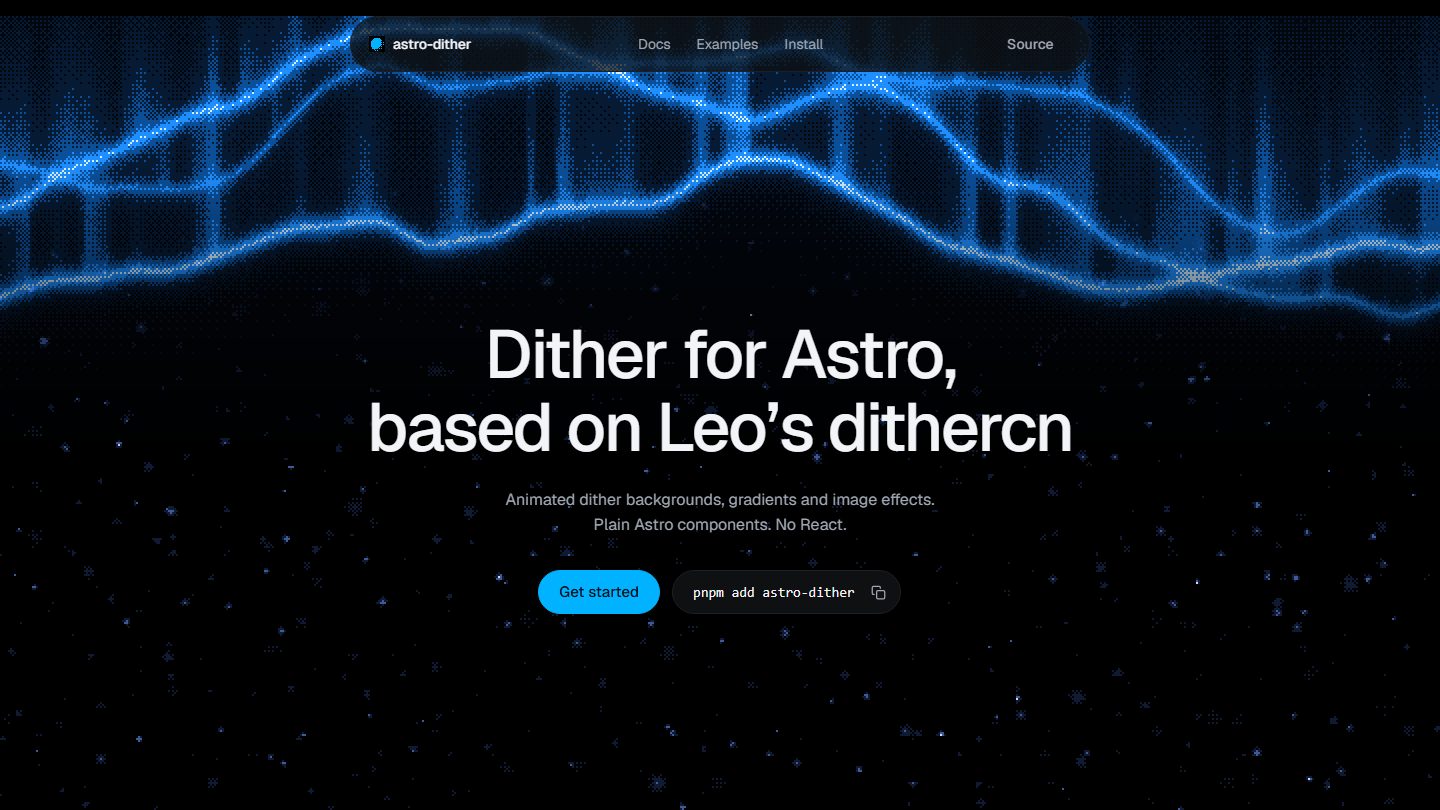
Animated dither backgrounds, gradients and image effects for Astro. No React.
Features
- No React. Plain Astro components and one custom element. Nothing to hydrate.
- 19 effects in one registry: aurora, waves, plasma, silk, smoke, contours, ripples, metaballs, tunnel, retro-grid, starfield, eclipse, globe, gradient, glow, mesh, beams, noise, rise.
- Image dithering that keeps the real
imgand its alt text in the tree. - One shared WebGL context for every ordered-dither surface on a page, so many tiles cost about the same as one.
- Pauses itself offscreen and in hidden tabs. Respects
prefers-reduced-motion. - Typed props per effect. Your editor lists only the settings an effect has.
- Copy-source CLI for projects that want the code in their own repo.
Install
| 1 | pnpm add astro-dither |
| 1 | npm i astro-dither |
| 1 | bun add astro-dither |
Quick start
| 1 | --- |
| 2 | import { DitherAurora } from "astro-dither"; |
| 3 | --- |
| 4 | |
| 5 | <section style="height: 100svh"> |
| 6 | <DitherAurora /> |
| 7 | </section> |
Any of the 19 effects works the same way:
| 1 | <DitherEffect effect="plasma" /> |
Components
| Component | What it does | Docs |
|---|---|---|
Dither | Paper's animated dither shapes: sphere, warp, wave, ripple, swirl, dots. | API |
DitherImage | Ordered dithering over any image. Keeps the img and its alt. | API |
DitherGradient | Linear, radial, conic or wave gradients. | API |
DitherAurora | The aurora effect with all its knobs. | API |
DitherEffect | Any of the 19 effects below, animated or still. | API |
DitherGlobe | An orthographic globe dithered from a land mask. | API |
Effects
| Group | Effects |
|---|---|
| Gradients and glows | gradient, glow, mesh, beams, rise |
| Textures | noise, plasma, silk, smoke, waves |
| Patterns | contours, ripples, metaballs, tunnel, retro-grid |
| Scenes | aurora, starfield, eclipse, globe |
Every effect takes the same props: params (its own typed settings), palette (2 to 8 colours), cell, matrix (Bayer 2x2, 4x4, 8x8 or noise), speed, class. The full parameter tables are in the package README.
Copy the source
Prefer owning the code instead of a dependency? Copy the components into your project:
| 1 | npx astro-dither add aurora |
npx astro-dither add aurora image globecopies several at once.--dir src/components/uichanges the target directory (defaultsrc/components/dither).--forceoverwrites existing files; without it, changed files are skipped.npx astro-dither listshows all six components.allcopies everything, including the engine.
Relative imports and assets (like the globe's land mask) are followed automatically.
How it works
Each component renders a <dither-surface> element with its settings serialised into a data attribute at build time. A small custom element mounts in the browser, opens one WebGL2 context shared by every ordered-dither surface on the page, and draws each effect's GLSL field through a Bayer threshold matrix into the palette. DitherImage uses the same idea on an image texture, in its own context, and leaves the original img in place so alt text, readers and no-JS still work.
Browser support and accessibility
- Requires WebGL2. Where a surface cannot start it stays blank;
DitherImagefalls back to the plainimg. - Backgrounds render
aria-hiddenso screen readers skip them. prefers-reduced-motiongets a still frame: every surface draws itsstillTimeframe once and stops.- IntersectionObserver and
visibilitychangepause rendering offscreen and in hidden tabs.
Repository layout
| 1 | packages/astro-dither/ the npm package (components, engine, CLI, tests) |
| 2 | site/ the Astro site on astro-dither.vercel.app |
| 3 | scripts/ repo scripts (favicon generator) |
| 4 | assets/ icon and README images |
| 5 | .github/ CI workflow, issue templates, dependabot |
Development
Requires Node 22.23.4 or newer (.nvmrc) and pnpm (packageManager pins 12.11.2).
| 1 | pnpm install # install the workspace |
| 2 | pnpm dev # site at http://localhost:4321 |
| 3 | pnpm test # vitest on the package |
| 4 | pnpm check # astro check on package and site |
| 5 | pnpm build # build the site into site/dist |
| 6 | node scripts/favicon.mjs # regenerate favicons into site/public |
Deploying the site
The site deploys to Vercel from the repo root. Import the GitHub repo and Vercel reads vercel.json: framework astro, install pnpm install --frozen-lockfile, build pnpm build, output site/dist. Nothing else to set. The production URL is picked up automatically for absolute OG tags; set SITE_URL only if you need to override it.
Releasing
- Bump
versioninpackages/astro-dither/package.json. - Add an entry to
packages/astro-dither/CHANGELOG.md. pnpm run cishould be green.pnpm --filter astro-dither publish --access public.
Contributing
See CONTRIBUTING.md. Bug reports and feature requests go through GitHub issues; security reports through private vulnerability reporting.
Credits
- Paper Shaders for the shader shapes and the image filter.
- dithercn by Leo, which this project is based on.
- Starwind UI, Cult UI and Kibo UI for the site's buttons and snippets.
Licence
MIT, Screen 2026.