


README.md
Git good
Git good makes sure your commits use the right name and email, including commits made by coding agents.
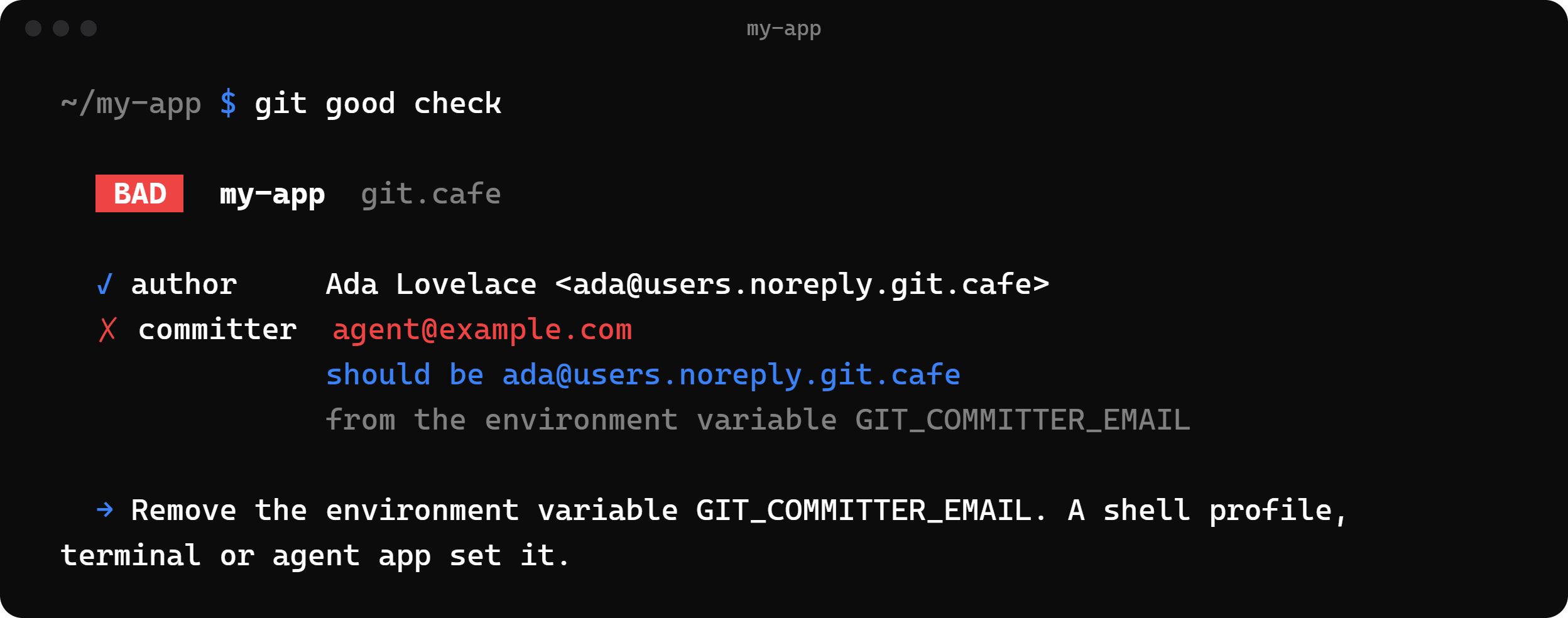
Git stamps every commit with a name and email from its config. It doesn't know which account you use on GitHub, GitLab or Git Cafe. When nothing is set, Git guesses from your computer, and agents often fill the gap with a wrong or outdated address.
Git good saves the identity you want, stops Git from guessing, and tells you when a repo would commit as anyone else.
Install
You need Git, and Node.js 20 or newer or Bun.
| 1 | npm install -g git-good-cli |
| 2 | # or |
| 3 | bun add -g git-good-cli |
The package is git-good-cli, and the command is git-good. Because the command starts with git-, Git also runs it as git good.
Quick start
| 1 | git good setup # save your name and email |
| 2 | git good check # in a repo: will the next commit use them? |
| 3 | git good fix # if not, save them in this repo |
| 4 | git good hook install # stop wrong commits in this repo before they happen |
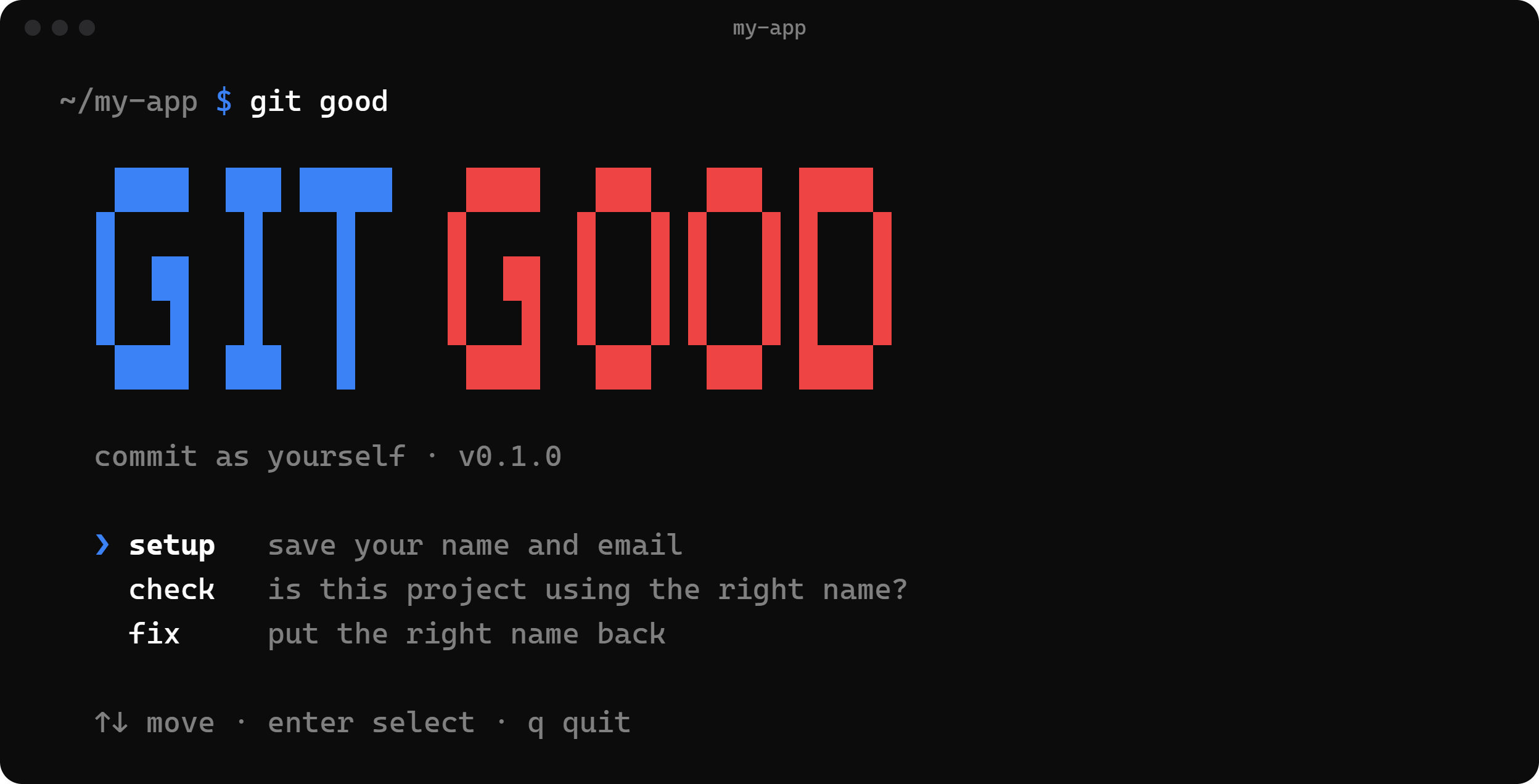
Run git good on its own to pick a command from a menu.
Commands
git good setup
Asks for your name and email and saves them as your profile:
- Windows:
%APPDATA%\git-good\profile.json - macOS:
~/Library/Application Support/git-good/profile.json - Linux:
~/.config/git-good/profile.json
It sets user.useConfigOnly = true in your global Git config, so Git refuses to commit instead of guessing. It changes your global user.name and user.email only if you say yes. You see every change before anything is written.
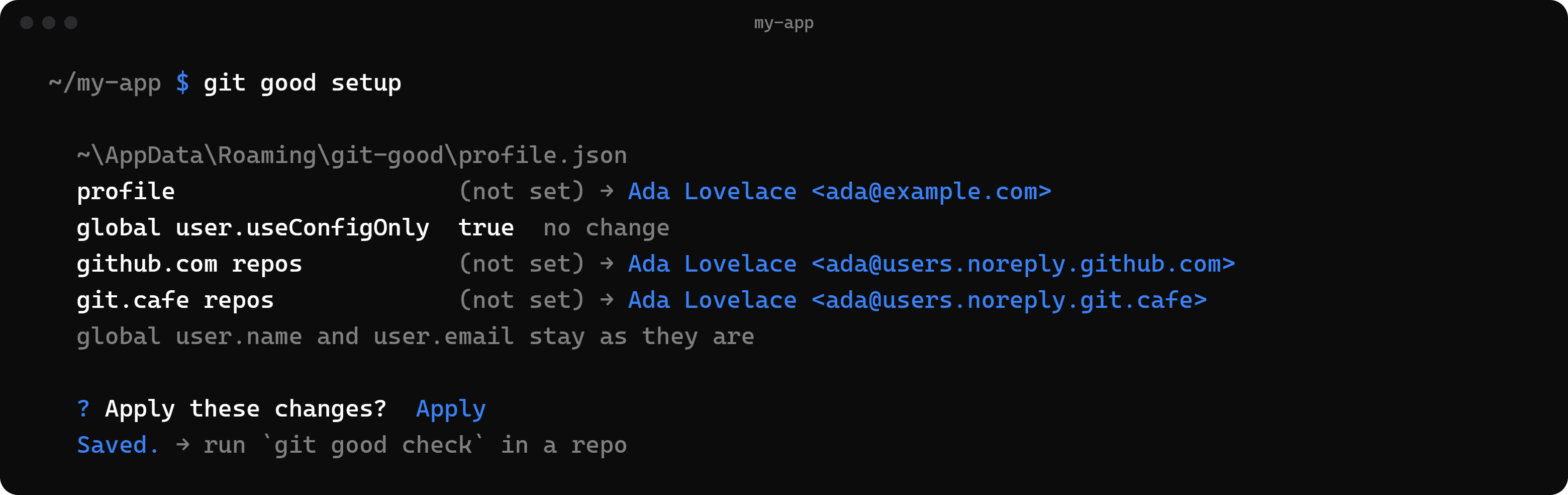
An email per host. You can save a different commit email for each host, such as a noreply address for github.com and another for git.cafe. Any host works, including self-hosted ones. Git picks the email by the repo's remote URL, so it applies to every repo on that host, and to every agent that commits there, with no setup per repo. Repos on other hosts, or without a remote, use your global user.email if you set one. This needs Git 2.36 or newer.
Without a terminal, pass the answers as flags and add --yes to apply them:
| 1 | git good setup --name "Your Name" --email you@example.com --no-global --yes \ |
| 2 | --host github.com=you@users.noreply.github.com \ |
| 3 | --host git.cafe=you@users.noreply.git.cafe |
--host replaces the saved host emails. Leave it out to keep them.
git good check
Asks Git which name and email the next commit will use, for both the author and the committer, and compares them with your profile. It uses the email saved for the repo's host, or your main email.
Git's answer covers the repo's config, your global config, git -c flags and the GIT_AUTHOR_* / GIT_COMMITTER_* environment variables. When a value is wrong, check says where it came from and how to fix it. When git good fix would solve it, check offers to run it.
| Exit code | Meaning |
|---|---|
0 | matches your profile |
1 | doesn't match |
2 | Git has no identity |
3 | no profile saved |
4 | error |
Add --json for scripts, agent launchers and other apps. Add --quiet to print nothing when everything matches.
git good fix
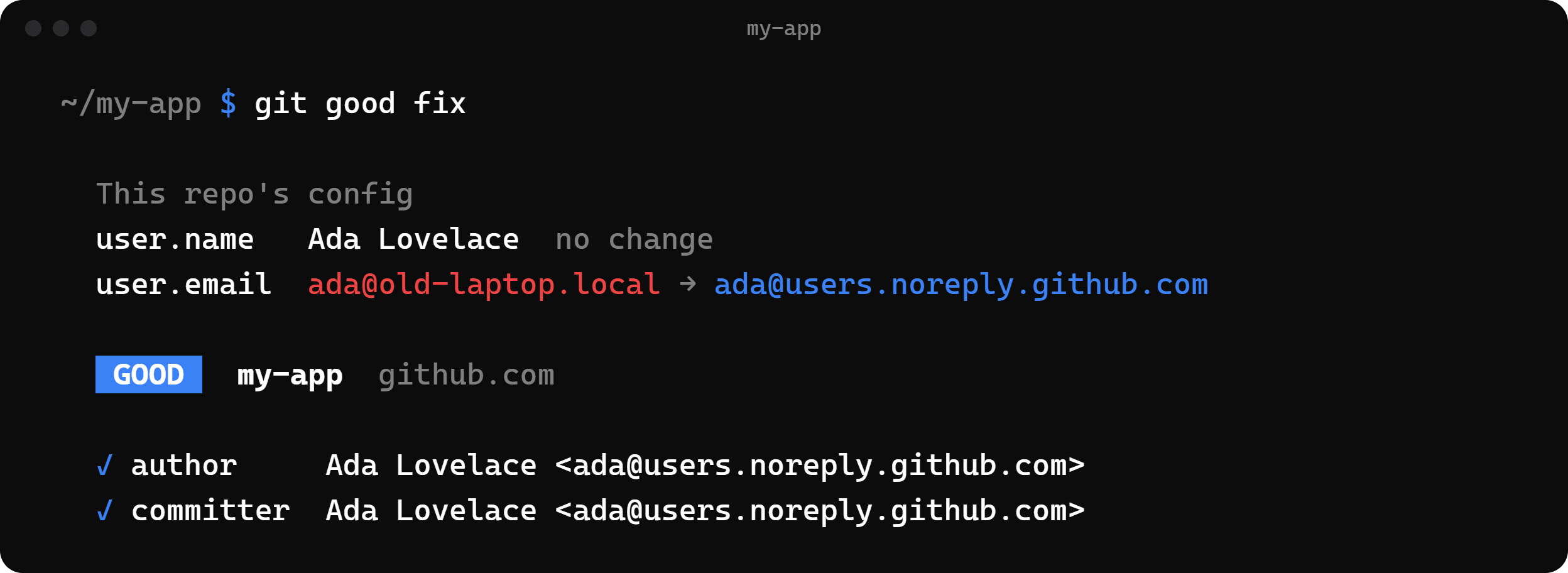
Writes your profile into the current repo's own config (user.name and user.email), shows the before and after, and changes nothing else. If something still overrides it, such as an environment variable, it tells you what.
git good hook install
Adds a pre-commit hook to the current repo, so a commit with the wrong name or email stops before it's made. It never replaces an existing hook. If one exists, it shows the line to add yourself.
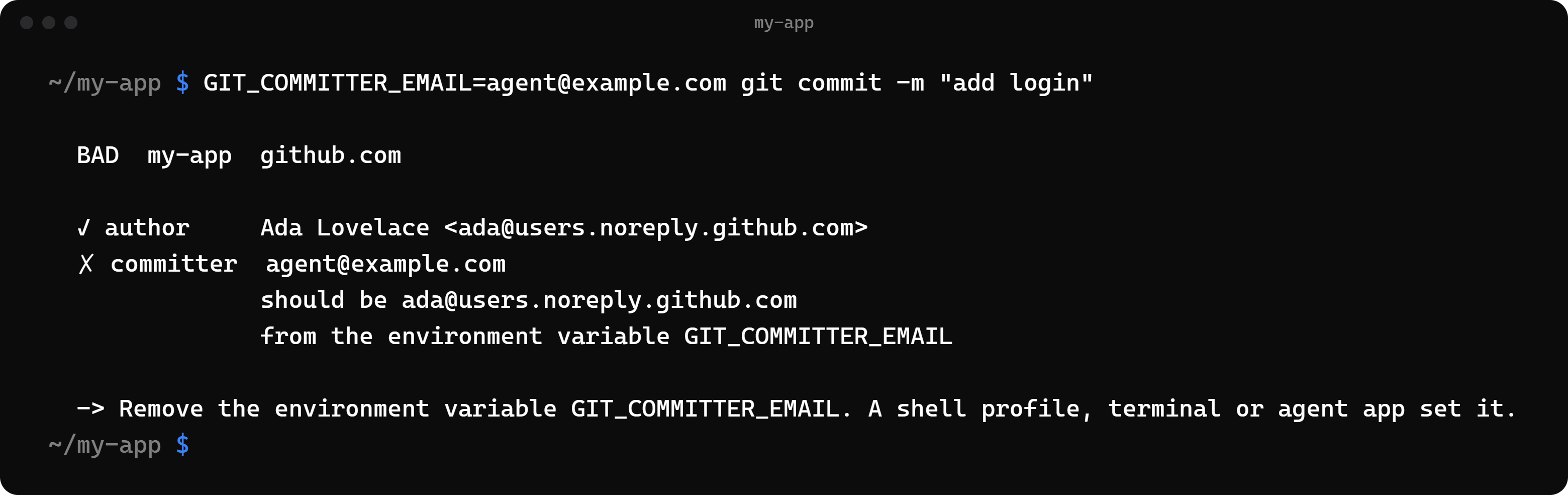
The hook is a plain sh script. Git for Windows ships its own sh, so you don't need Bash.
Output
In a terminal, Git good uses color and asks with menus. When its output goes to a file, a pipe or another program, or when NO_COLOR or --json is set, it prints plain text and never asks. Exit codes are the same either way.
For help, run git good help or git-good --help. (git good --help makes Git look for a manual page instead.)
Develop
| 1 | bun install |
| 2 | bun test |
| 3 | bun run typecheck |
| 4 | bun src/cli.ts check |
Set GIT_GOOD_CONFIG_DIR to keep test runs away from your real profile.
bun run build creates a single file with no Node needed: dist/git-good (dist\git-good.exe on Windows).
To publish to npm, bump version in package.json and run npm publish. It runs the type check and tests, then builds dist/cli.js.
License
MIT