


README.md
keep music
A monochrome web player for your Navidrome library. Square covers, hairline borders, synced lyrics, a queue you can see, and nothing on screen when nothing is playing.







Why
Your own music deserves a player as good as the streaming apps, and better where they cut corners:
| keep music | Spotify web player | |
|---|---|---|
| your files, your server | ✓ | — |
| search that forgives typos, accents, missing spaces | ✓ | partly |
| search by a half-remembered lyric, and play from that line | ✓ | exact words only, plays from the start |
| lyrics timing you can nudge per song, saved across devices | ✓ | — |
| next songs downloaded ahead, playing offline in the browser | ✓ | — |
every action on the keyboard, a searchable cheat sheet (?), rebindable | ✓ | some shortcuts |
| start on your phone, continue here (any Subsonic app, e.g. Arpeggi) | ✓ | ✓ (Connect) |
Features
- Search (
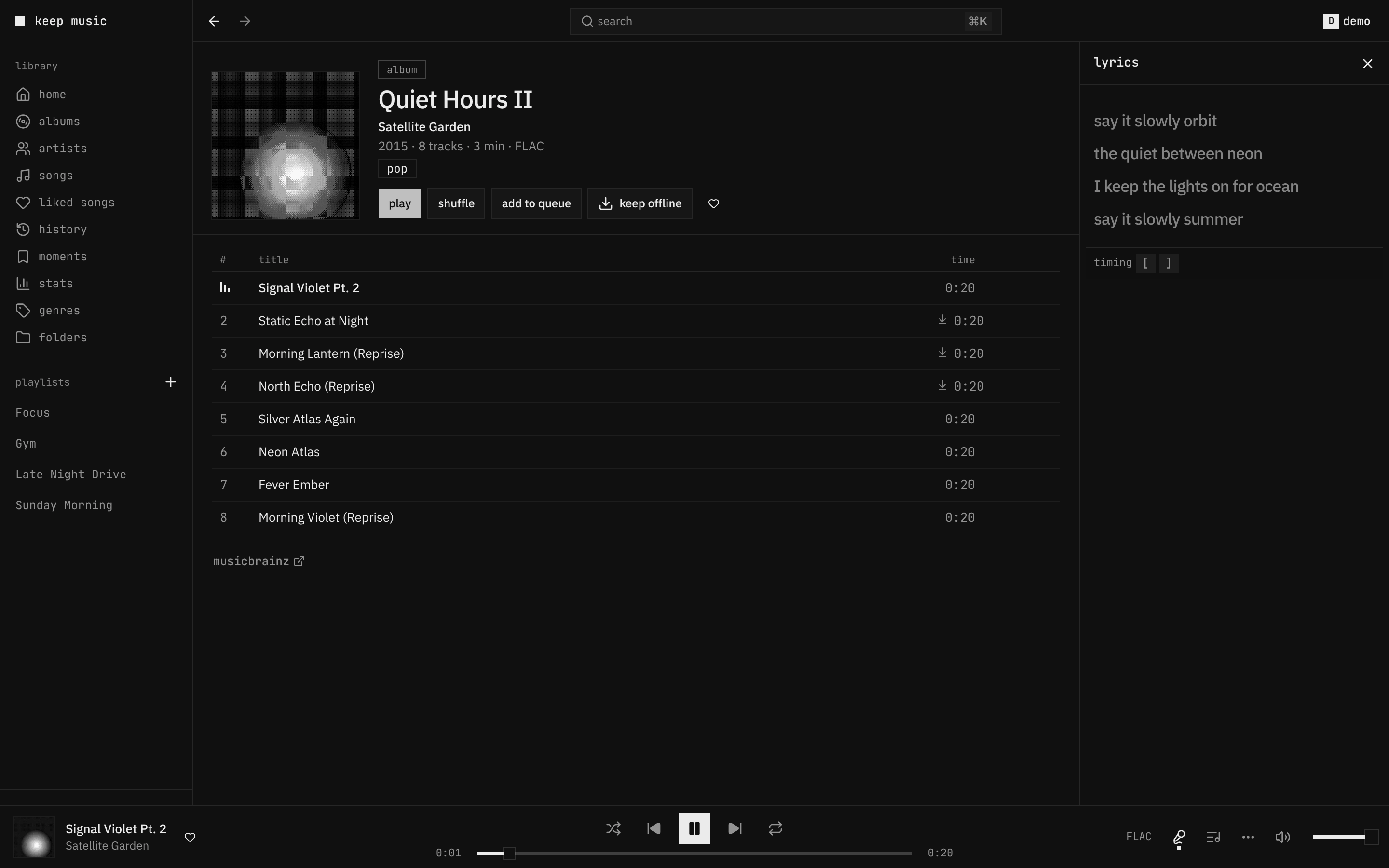
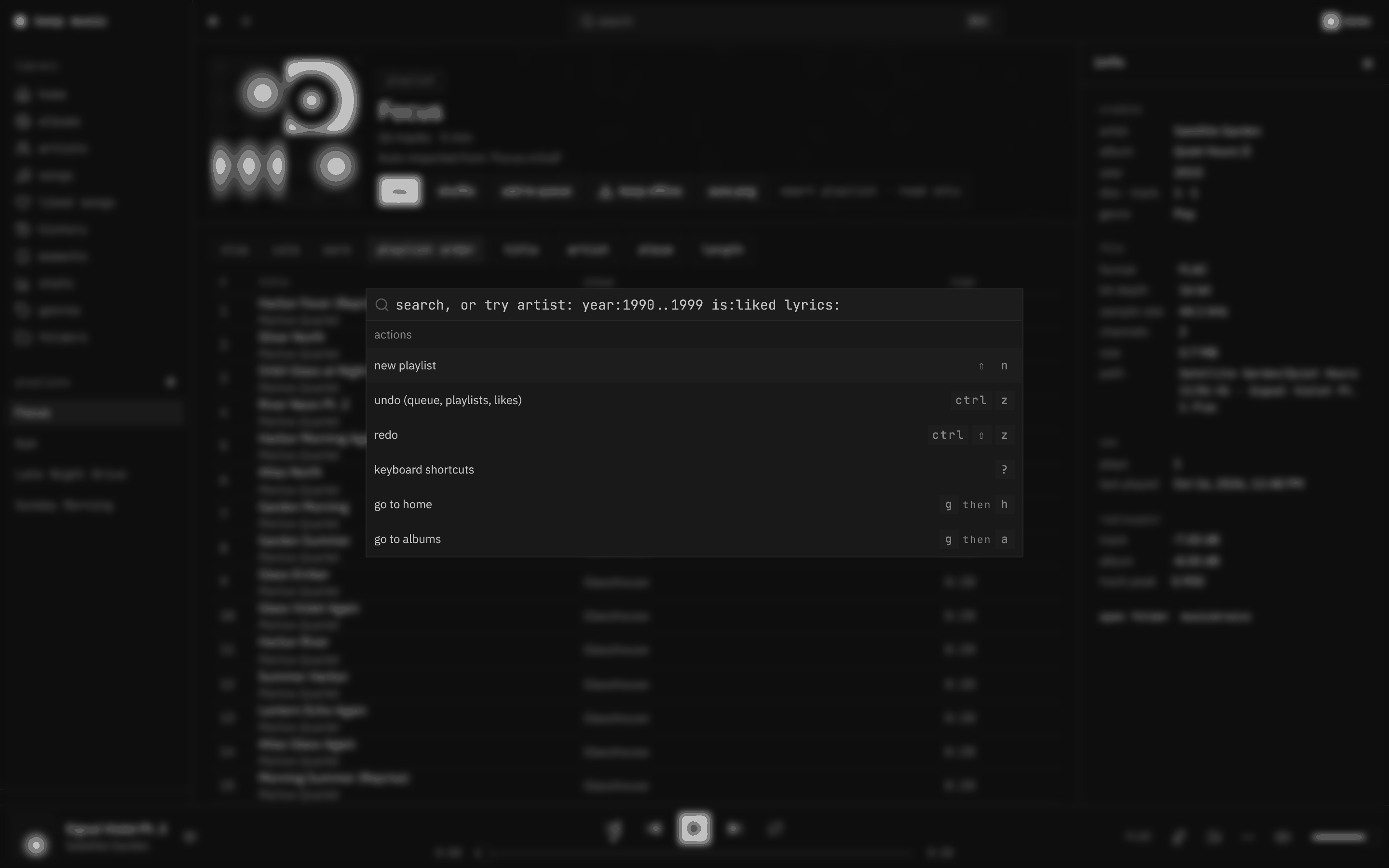
⌘K): one box for songs, albums, artists, playlists, lyrics and commands. Typo-tolerant, ranked by what you play, with filters (artist:year:1990..1999is:likedformat:flac…). search - Lyrics for nearly every song: Navidrome's, else LRCLIB's, cached and fetched ahead. They follow the song
word by word, full screen with
⇧F, and[]fix the timing per song. lyrics - Playback that doesn't stutter: two decks for gapless handover, ReplayGain (album gain in album order), the next songs precached by a service worker (instant seeks, plays offline), stalls recovered in place.
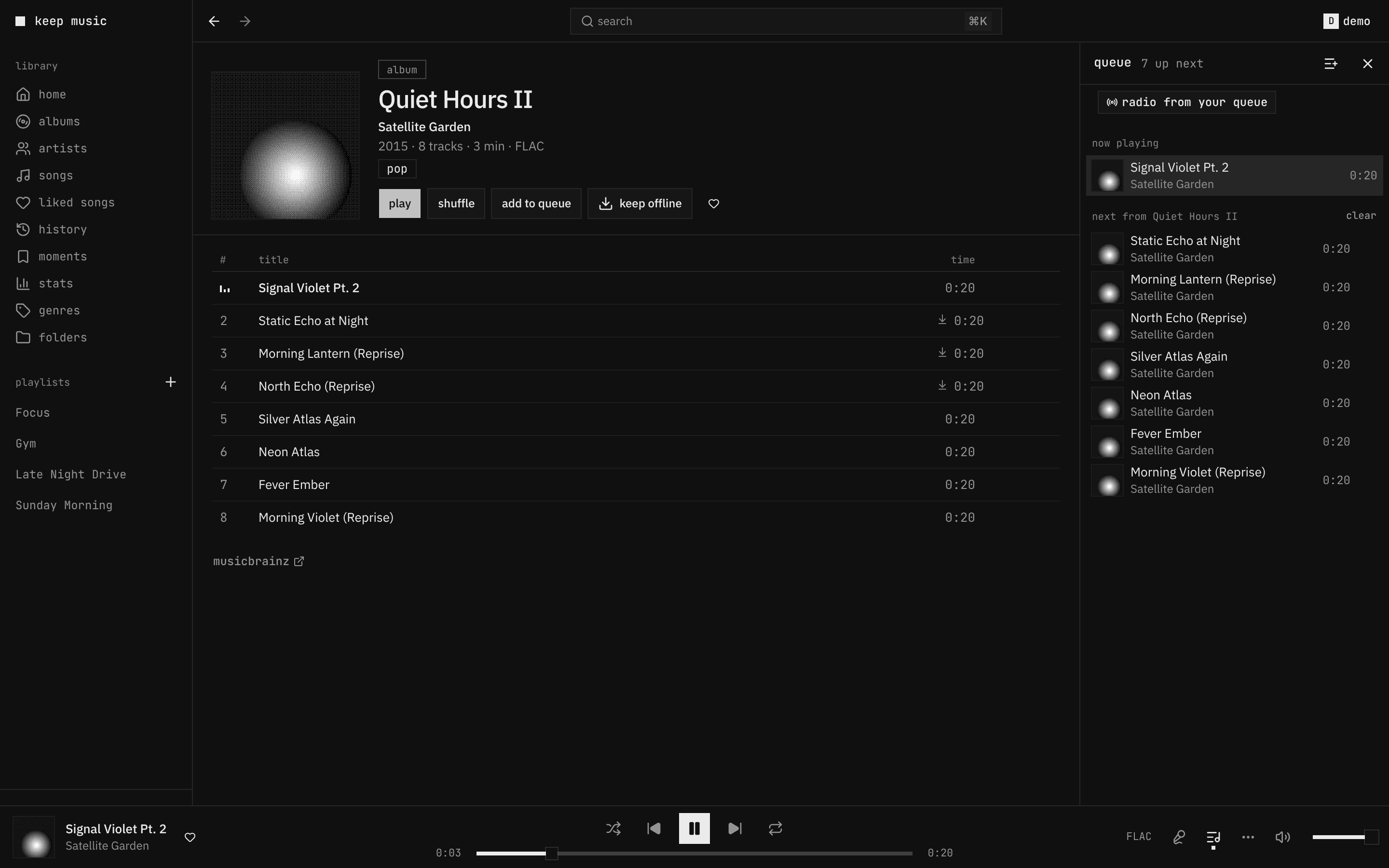
- Queue you can see and steer: your queue apart from the album or playlist it came from, balanced shuffle, undo for removals, stop after this song, sleep timer.
- Keyboard first: everything has a key,
?shows them all, lists move withj/k,xselects. shortcuts - Library: home (recently added, played, most played, rediscover), albums, artists with bio and top songs,
songs, genres, liked songs, your folders as on disk, playlists in folders (
Chill / Night). - With your phone: the play queue hands off both ways with Arpeggi or any OpenSubsonic app; likes, ratings, playlists and plays are the server's, so every app agrees. sync
- Fast: a 10k-song list renders ~40 rows, the library is cached in the browser so a reload paints instantly, covers are resized WebP served forever-cached, the first screen is under 160 KB of JS (gzip).
- Mac media keys, Now Playing, a mini player (always on top) and scrobbling back to Navidrome.
 |
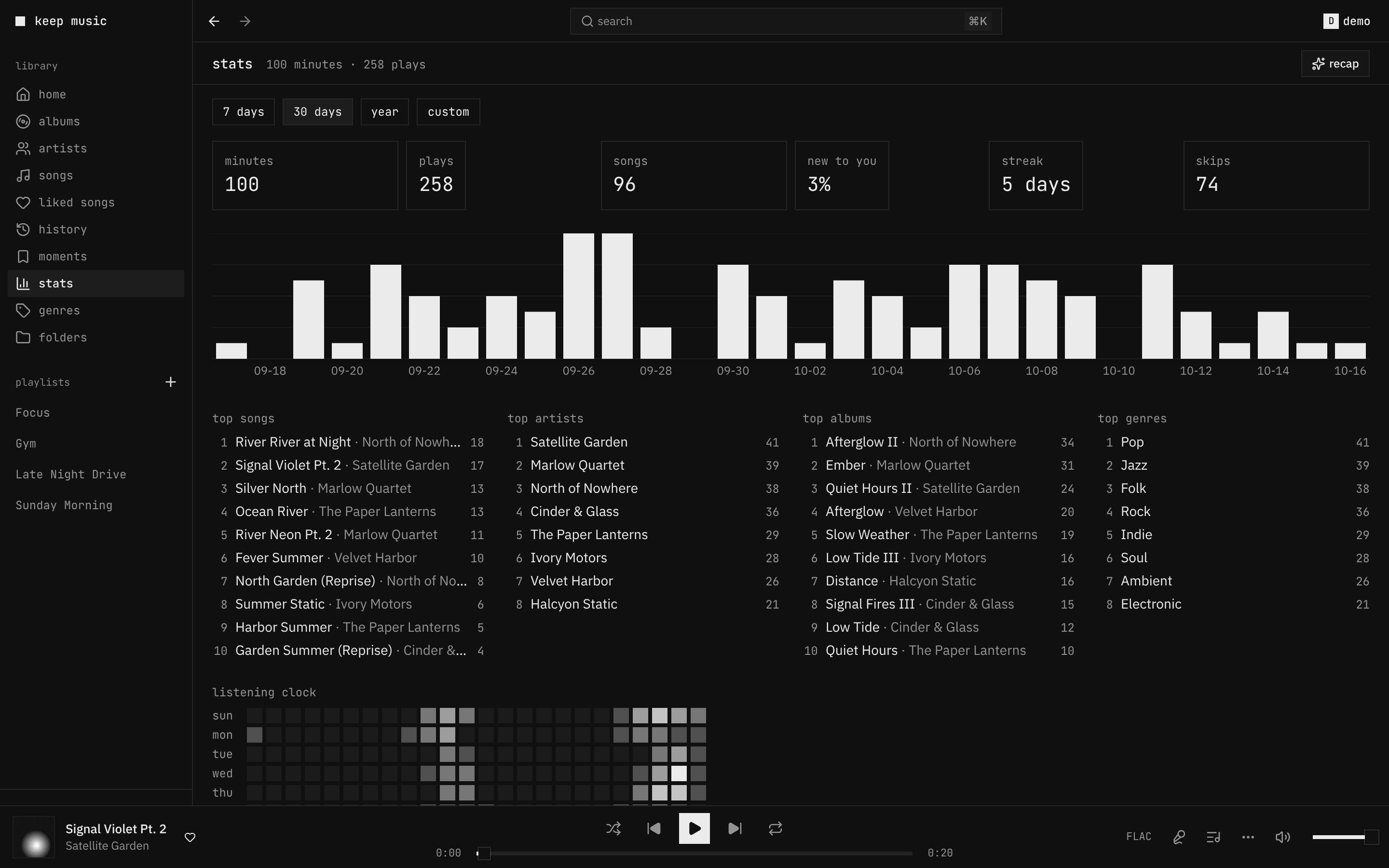 |
| home: recently added, rediscover, most played | stats: minutes, streaks, top lists, a listening clock |
 |
 |
search (⌘K): songs, albums, artists, lyrics, commands |
queue: yours, apart from the album it came from |
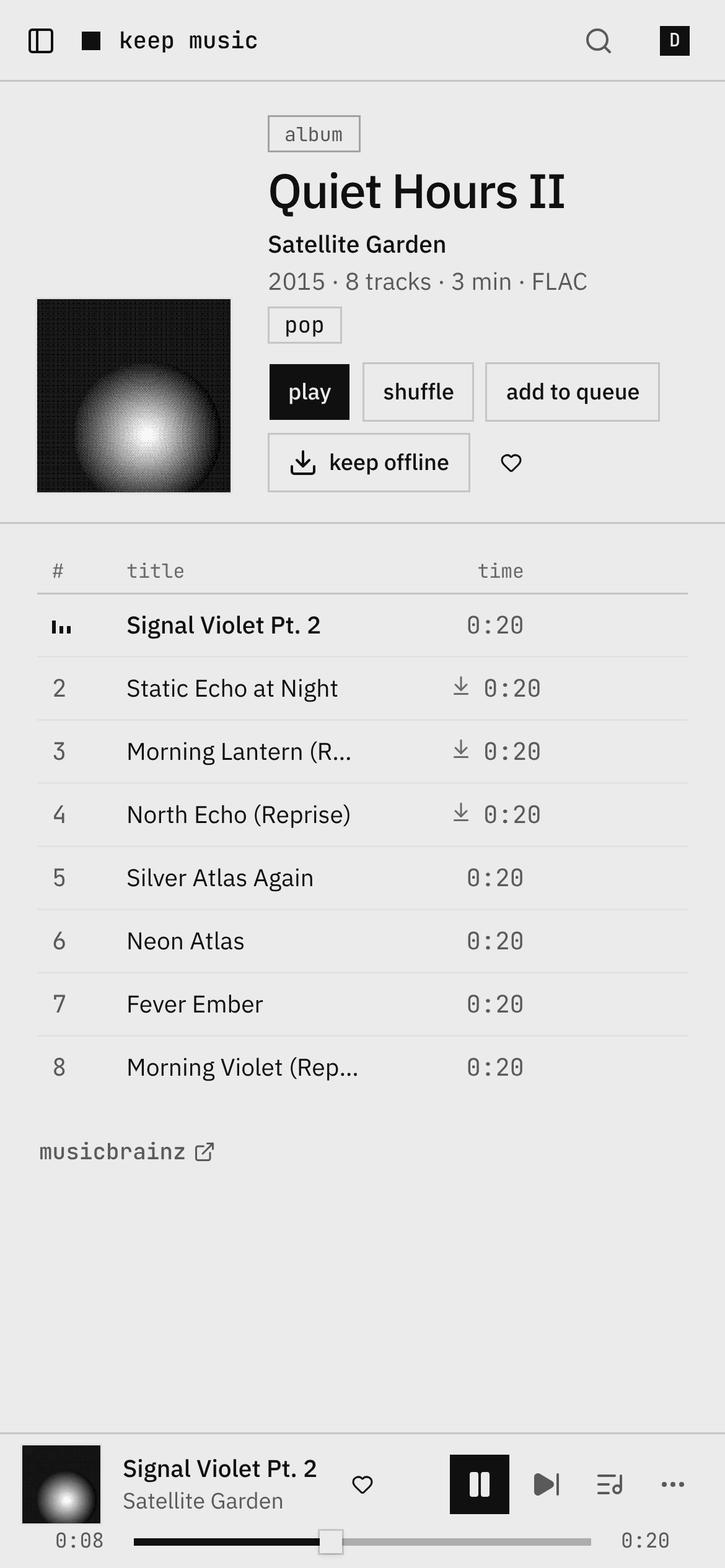
All screenshots are the generated demo library: synthesized tracks and dithered covers, no real music. The album shot has a light twin, served automatically on a light system theme.
Quick start
| 1 | # compose.yaml, next to your Navidrome |
| 2 | services: |
| 3 | player: |
| 4 | image: ghcr.io/findmalek/keep-player:latest # amd64 |
| 5 | restart: unless-stopped |
| 6 | environment: |
| 7 | NAVIDROME_URL: http://navidrome:4533 # as this container reaches Navidrome |
| 8 | ports: |
| 9 | - "8080:8080" |
| 10 | volumes: |
| 11 | - player-data:/data |
| 12 | volumes: |
| 13 | player-data: |
docker compose up -d, open http://localhost:8080, sign in with your Navidrome account. The sign-in screen checks
the server first and tells you what to fix if it can't reach it. Getting started
Docs
| getting started | run it, sign in, first run |
| configuration | every setting (generated from the code) |
| deploy | full stack, Traefik, Caddy, nginx, Dokploy, image tags, health |
| shortcuts | every key (generated from the code) |
| search · lyrics · sync · spotify import · listen together | how they work |
| architecture · security | how it's built, what's protected |
| demo library · previews | the generated library, and per-PR preview deployments |
| troubleshooting | when something's off |
| contributing · roadmap | working on it |
FAQ
Does it work on a phone? Yes: the layout follows the window down to 320 px, and it installs as an app from the browser's menu. For a native feel use a Subsonic app too (Arpeggi, Substreamer, Symfonium…); the queue hands off between them.
Can I try it without my own music? Yes: bun run demo:library ./demo-music generates a library and
compose.demo.yaml serves it from a Navidrome. See demo library.
Does it change my music files? No. It reads through Navidrome's API. Likes, ratings, playlists and plays are
stored by Navidrome; keep music keeps only its own data (sessions, its search and lyrics cache, history) in /data.
Does it phone home? No. It talks to your Navidrome and, for missing lyrics, to LRCLIB (LRCLIB_URL= turns that
off). The release check is off unless you set UPDATE_CHECK=on.
Several Navidrome servers? NAVIDROME_SERVERS=home=http://a:4533,friend=https://b and pick at sign-in.
Other Subsonic servers? Anything that speaks OpenSubsonic should work; it's tested against Navidrome.
Develop
A Bun workspace: apps/player (the React app), apps/server (the Bun server that serves it and proxies Navidrome),
packages/shared (types both sides use).
| 1 | bun install |
| 2 | bun run mock # fake Navidrome on :4599 with 10k songs (demo / demo) |
| 3 | NAVIDROME_URL=http://127.0.0.1:4599 bun run dev # app on :8080, hot reload |
| 4 | bun run check # typecheck, lint, unit tests, bundle size, generated docs |
| 5 | bun run e2e # Playwright against the mock |
| 6 | bun run demo:library ./demo-music # a real, copyright-free library for a real Navidrome |
Every pull request gets a preview deployment with a demo account. More in CONTRIBUTING.
Credits
Built on Navidrome, Bun, React, shadcn/ui (on Base UI) and LRCLIB. The demo library's tracks are generated by this repository; there is no third-party music in it.
License
MIT