


apps/macos/README.md
lodesong for macOS
The player in its own window, and an island around the notch, made to feel like it shipped with the Mac.
 | Playing: the cover left of the notch, bars bouncing right of it. |
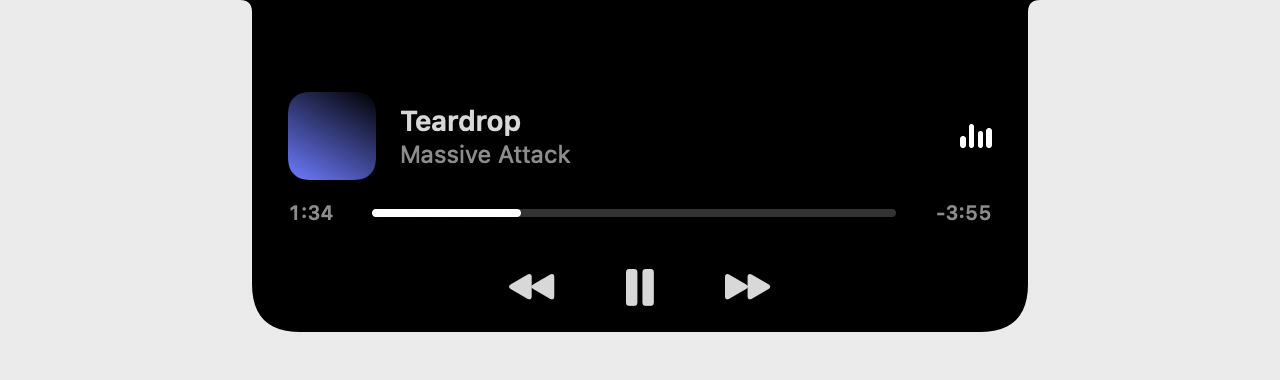 | Hover: it grows into the song, where it is, and ⏮ ⏯ ⏭. |
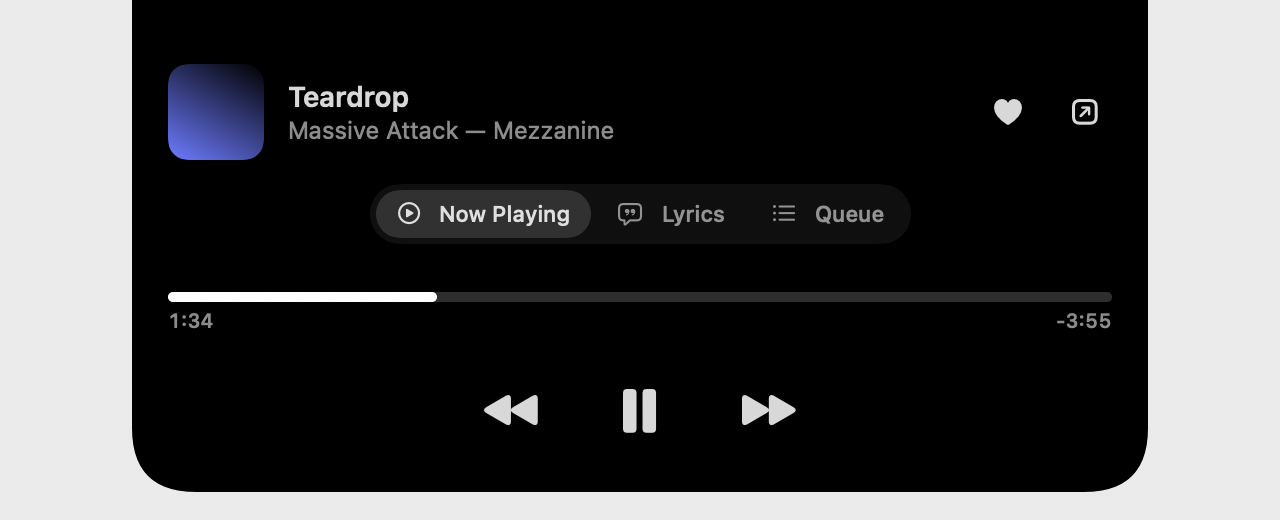 | Click: Now Playing (seek by dragging), Lyrics (follow along, click a line to jump), Queue (click to play). Settings are in their own window (⌘,). |
- The notch: on by default on Macs that have one, off on the rest (a Mac mini, an external display only); switch it in Settings (⌘,). Without a notch there's a mini player that stays on top (⌘⇧M) and a menu bar item.
- The bars follow the music: the page measures four bands (bass to treble) on the audio thread and sends them ~15 times a second, only while the island or mini player shows and a song plays; each bar eases to its band. On a song the page can't measure, they fall back to a gentle loop.
- Battery: nothing polls. The player reports changes; the playhead moves on by itself between reports and only while you're looking at it. Measured on an M-series Mac, playing with the window hidden: the app ~1–2 % CPU, the page ~6–8 % (decoding plus the audio graph; the equalizer's filters are unplugged while it's off), live bars included. Launch to ready: ~0.4 s.
- Closing the window keeps the music going; the Dock icon or ⌘1 brings it back. Media keys and Now Playing work through WebKit, the same as in Safari.
- Your login stays in the app between launches (its own WebKit store, apart from Safari's).
- Updates over the air: it checks GitHub's releases at launch and every few hours (when macOS says it's cheap to), downloads a new version in the background and asks to restart. After the restart, What's New lists everything shipped since the version you last opened, every release in between. Settings (⌘,) can turn automatic downloads off.
Install
Download lodesong-macos.zip from the latest release,
unzip, move lodesong to Applications. It isn't signed by Apple yet: the first time, right-click it → Open
(or xattr -dr com.apple.quarantine "/Applications/lodesong.app"). It asks for your lodesong address once.
macOS 14 or later. On managed Macs, apps/macos/pkg.sh builds a pkg that installs through Fleet or any MDM: see
the Fleet guide.
Build
sh
| 1 | apps/macos/build.sh # → apps/macos/dist/lodesong.app (Apple silicon + Intel) |
| 2 | swift run --package-path apps/macos Lodesong --preview /tmp/island # the island's states as PNGs |
No dependencies: AppKit, SwiftUI and WebKit. The page talks to the app through apps/player/src/lib/native.ts.